Guides
The SEO checklist for business owners: 30 checks in plain words, and what to tell your web person
Thirty checks that decide whether Google, Google Maps and the AI assistants can find your business, written for the owner, not the marketer.
· Updated · 6 min read

In this story
Search "SEO checklist" and Google hands you lists built for people who do this for a living. Semrush's has 43 tips. Backlinko's has 48 checks. Ahrefs' has 37. They're good lists. They also include steps like "create a keyword map" and "fix redirect chains and loops", and none of the three has a question-and-answer section for the owner who just wants to know what matters. Backlinko's 48 checks don't mention Google Business Profile, the free listing a business needs to show up on Google Maps, even once.
If you run a plumbing company, a dental office or a law firm, you don't need 48 tips. You need to know which few things decide whether a customer finds you, and how to tell if yours are done.
So here's the checklist we'd hand a business owner. SEO, short for search engine optimization, just means the work that gets your business shown when someone searches for what you sell. Every check below is written in plain words. Where a check needs someone technical, you get a line in a grey box you can copy and send to them as it stands.
How to use this checklist
The thirty checks sit in six groups, in the order a customer meets your business: Google finding your site, your Maps listing, your pages, what other websites say about you, the AI assistants, and what to watch each month.
Each check is marked one of three ways:
- You: you can do it yourself in a few minutes, on your phone.
- Send it: copy the grey box and send it to whoever built or runs your website.
- Monthly: a two-minute look, once a month.
Work top to bottom. The first group matters most, because nothing else on this list counts if Google can't see your site at all.
Group 1: Can Google find your website at all?
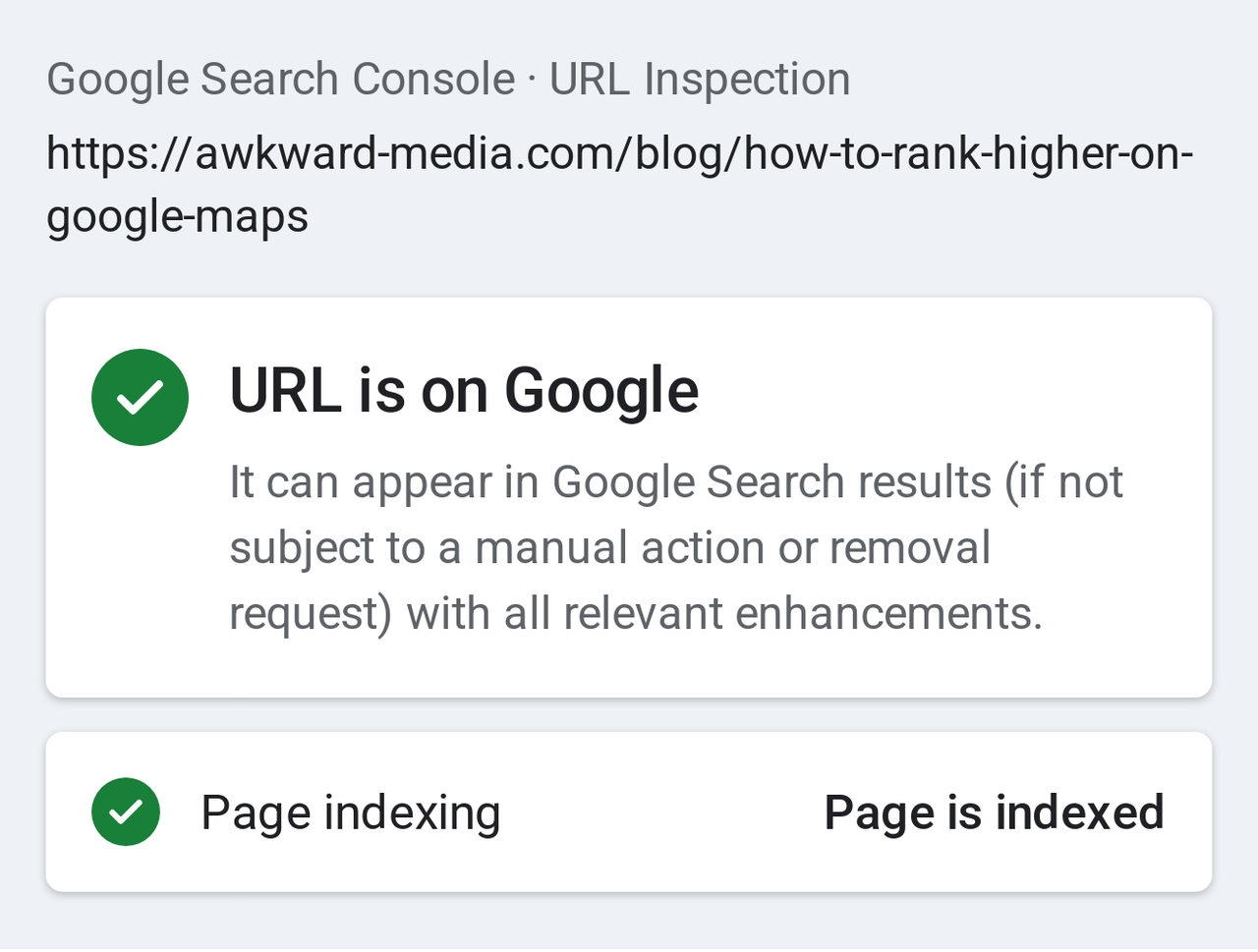
Before Google can show a page, it has to find it, read it and keep a copy in its files. Google calls that list of kept pages its index. A page that isn't in the index can't show up for anything, however good it is. And getting in isn't automatic. Google's own beginner's guide says "there's no guarantee that any particular site will be added to Google's index." These seven checks make sure yours is. If you're about to move to a new website, run them before and after the move too; our account of moving our own site has the step-by-step version.
1. Search your own business name (You)
Type your business name and your town into Google on your phone. You should see your website near the top and your Google listing, with its map, beside or above it. If a directory or an old address shows instead, the rest of this group is where you start.
2. Count how many of your pages Google has kept (You)
Type site: followed by your web address, with no space, into Google (for example, site:yourcompany.com). Google lists the pages it has kept. It's a rough count, not an exact one, but it tells you fast whether something's wrong. A site with 25 pages that shows 3 has a problem. A site with 25 pages that shows 22 is fine.
3. Get Google Search Console set up (Send it)
Search Console is Google's free dashboard for website owners. It shows which searches your site appeared for, how many people clicked, and which pages Google has kept or skipped and why. It's the only place you'll hear from Google directly about your site. Every other check in this article gets easier once it's on.
4. Hand Google a list of your pages (Send it)
A sitemap is a file on your site that lists every page you want Google to find. Most website builders make one on their own. It still needs to be handed to Google once, inside Search Console.
5. Make sure nothing is telling Google to stay away (Send it)
Websites can carry a hidden note that tells Google "don't show this page". Builders often switch it on while a site is being made, and it gets left on at launch more often than you'd think. One forgotten setting can keep a whole site out of Google.
No web person, or none who knows this side of a site? It's what our technical SEO team checks first.
6. Look for the padlock (You)
Open your site on your phone. The address should start with https, and your browser should show it as secure. If it warns visitors the site is "not secure", most of them leave before they read a word.
7. One address for your site, not four (Send it)
Your site can often be reached as yourcompany.com, www.yourcompany.com, and the http version of each. To you they're the same site. To Google they can look like four copies competing with each other. All of them should land on one.
Group 2: Your Google Maps listing
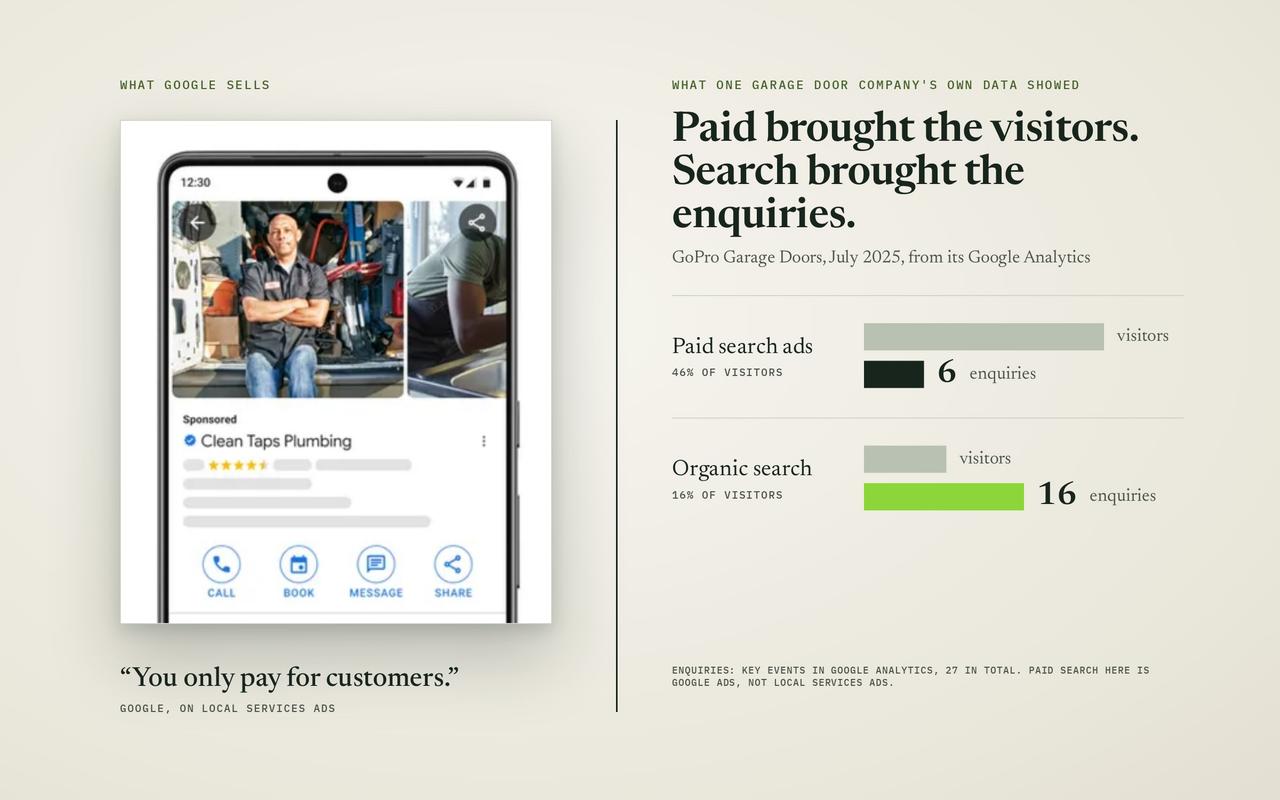
For a business that serves customers in a town, the map is where many of them decide. Your listing there is your Google Business Profile, and it's free. Google says local results are "mainly based on relevance, distance, and popularity", and that "there's no way to request or pay for a better local ranking on Google." Distance you can't change. The checks below are the parts you can, one line each. Our guide to local SEO for small businesses takes each of them further.
8. Verify the listing (You)
Search your business name on Google while signed in to the account that manages the listing. If Google asks you to verify, do it. Google's own help page says verifying "tells Google that you're authorized to represent the business, so it's more likely to show up in search results."
9. Use your real business name, nothing added (You)
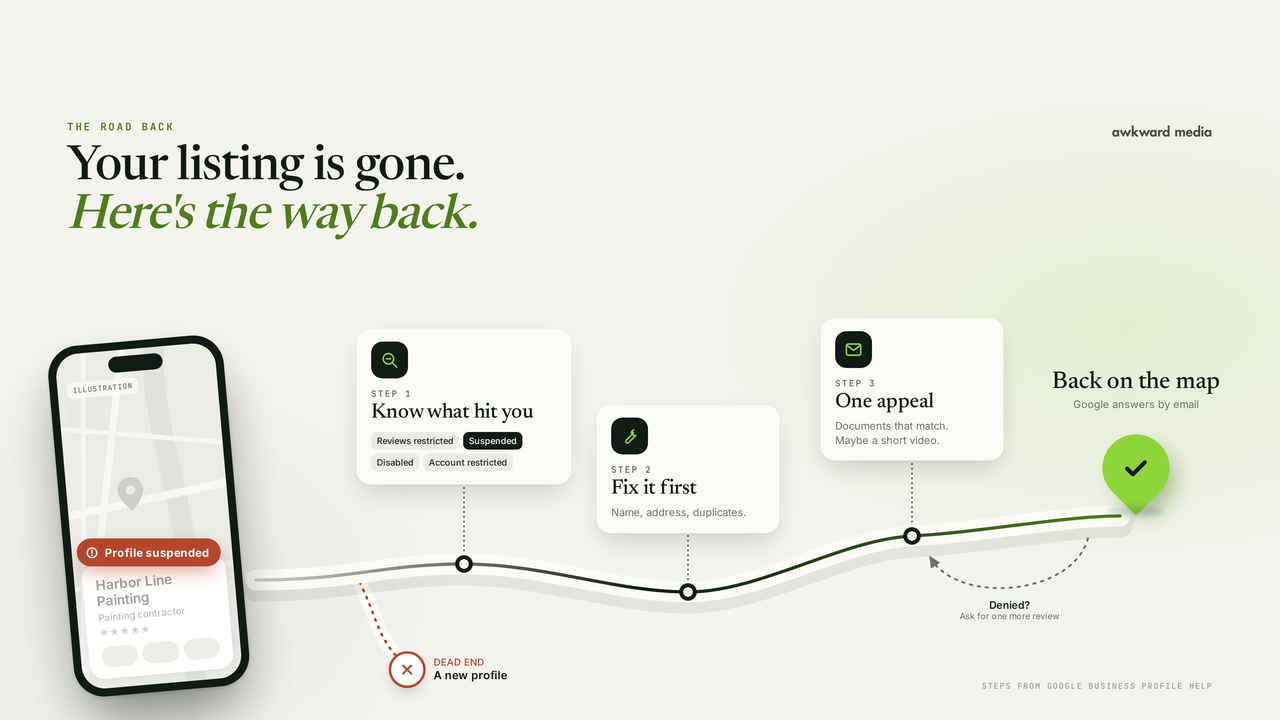
It's tempting to call yourself "Smith Plumbing Best Emergency Plumber Dallas". Don't. Google's rules say "your name should reflect your business's real-world name" and "including unnecessary information in your business name isn't permitted." Stuffed names get reported by rivals and can get a listing suspended. We wrote up what happens then, and the way back, in our guide to a suspended Business Profile.
10. Pick as few categories as it takes (You)
Your categories tell Google what you are. The first one matters most. Google's guidance is to "use as few categories as possible to describe your overall core business." A roofer who adds "gutter cleaning", "solar installer" and "general contractor" to cast a wider net usually just blurs what Google thinks the business is.
11. Keep hours right, holidays included (You)
Wrong hours cost you the customer who drives over and finds the door shut, and they tend to say so in a review. Google lets you set "special hours for particular days, like holidays or special events." Set them a week before each holiday.
12. Fill in services and where you work (You)
List each service you actually sell, in the words customers use, and set the towns or area you serve. Google's tip page says "businesses with complete and accurate info are more likely to show up in local search results."
13. Add real photos, and keep adding them (You)
Your vans, your team, finished jobs, the front of your shop. Real ones from your phone beat stock photos. Add a few each month so the listing doesn't look abandoned.
14. Ask for reviews, and answer every one (You)
Reviews help a customer choose you. For where you rank, they're one input among many, not the whole game: in our 24 phone searches for eight trades in Phoenix, Charlotte and Columbus on November 3, 2026, the first business on the map had fewer reviews than the second in 17 of them. Ask every happy customer, the same week as the job. Then reply to each review, good or bad. Google's own tip: "When you reply to customer reviews, it shows that you value their feedback." Our guide to getting more Google reviews has the steps Google allows, and what it bans.
For the full picture of what moves a business up the map, our guide to ranking higher on Google Maps goes fix by fix.
Group 3: The pages on your website
Your listing gets you on the map. Your website is what Google reads to decide which searches you match, and what a customer reads before they call. These eight checks are the ones that do the most.
15. One page for each service you sell (You, then Send it)
If you do drain cleaning, water heaters and repiping, each gets its own page. A single "Services" page with a list of ten things can't be the best answer to any one of them. Write down your services. If any doesn't have its own page, that's the gap.
16. A page for the towns you really work in (You)
If you get jobs from five nearby towns, a page for each, saying what you've done there, can help you show up when people search with the town's name. The word that matters is real. Pages that swap the town name and change nothing else help nobody, and Google treats them as spam. Write each one from jobs you've actually done there.
17. Give every page its own headline for Google (Send it)
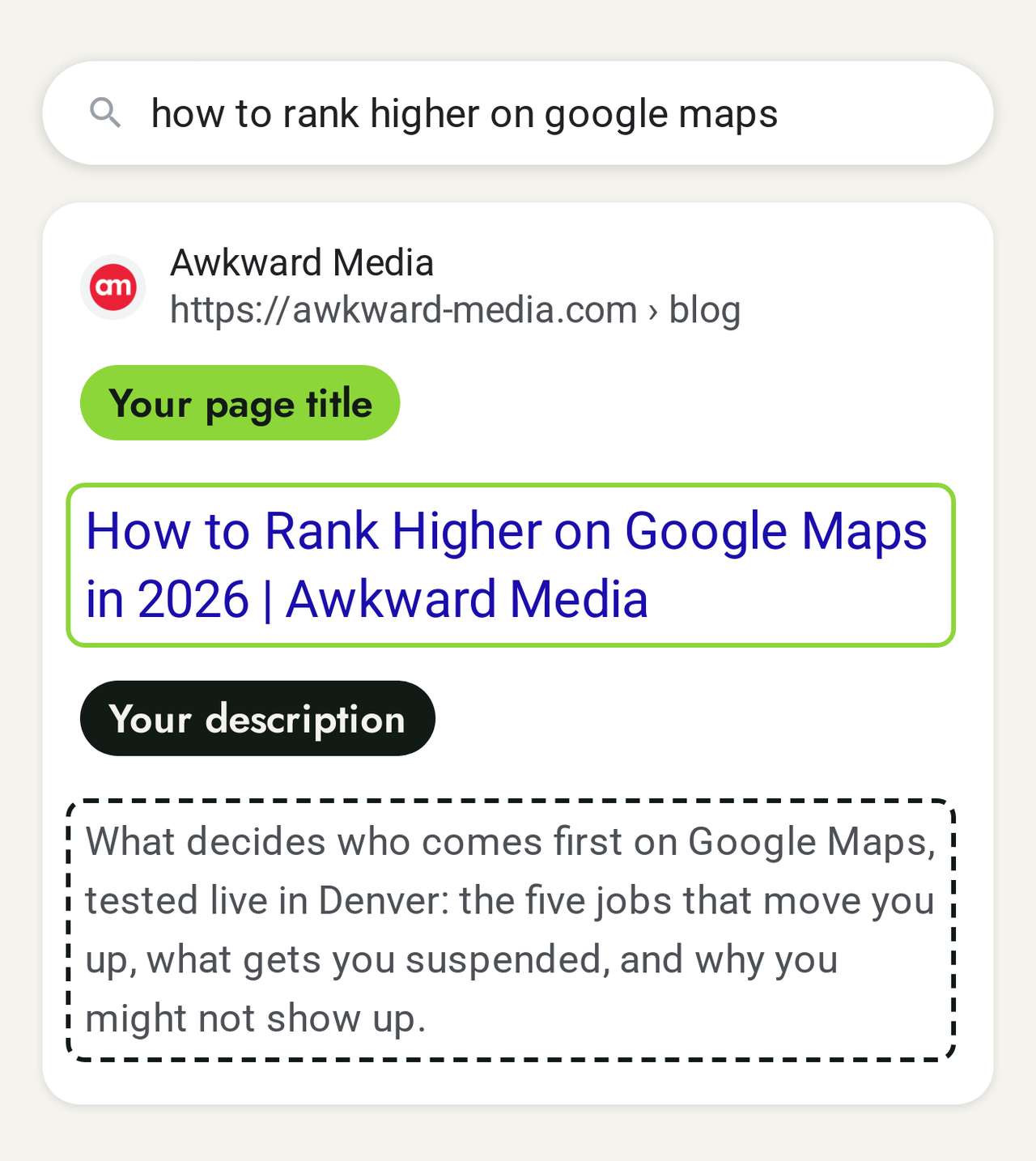
Each page has a title that Google often uses as the blue headline in its results. Google's guide says a good one "is unique to the page, clear and concise, and accurately describes the contents of the page." On many small business sites, every page is titled "Home" or carries the business name alone.
Titles, summaries and page wording are the core of on-page SEO, if you'd rather hand them over.
18. Write the two lines under the headline (Send it)
Under the headline, Google often shows a short summary. You can suggest it. Google's guide: "A good meta description is short, unique to one particular page, and includes the most relevant points of the page." Say what you do, where, and why someone should pick you.
19. Your phone number is tappable on a phone (You)
Open your site on your phone and tap your number. It should start a call. If it doesn't, people who are ready to book have to copy it by hand, and some won't.
20. Your site opens fast on a phone (You)
Open your home page on your phone on mobile data, not Wi-Fi. If you're staring at a blank screen for more than a few seconds, customers are too, and many leave.
21. Describe your photos in words (Send it)
Google reads words, not pictures. Each photo on your site can carry a short description, called alt text, that also helps people who use screen readers. "Technician replacing a water heater in a Plano garage" beats "IMG_4471".
22. Link your pages to each other (Send it)
Your water heater page should link to your plumbing repair page, your town pages to your service pages, and so on. Links between your own pages help Google understand how your site fits together, and help customers find the next thing they need.
Group 4: What other websites say about you
Google doesn't only read your site. It looks at what the rest of the web says about your business, and it uses that to judge how well known and trusted you are.
23. Same name, address and phone everywhere (You)
Search your business name and check the first two pages of results: Yelp, Facebook, the Better Business Bureau, industry directories. Your name, address and phone number should match your Google listing exactly. An old number on one directory sends calls to nowhere.
24. Get listed on the other maps (You)
Google isn't the only map. iPhones use Apple Maps, and Microsoft's Bing has its own. Both have free business listings: Apple Business Connect and Bing Places. Claim them with the same details as your Google one. Keeping all of these listings matched is part of our local SEO work.
25. Earn links from real local websites (You)
A link from another website to yours works like a recommendation. The ones worth having come from real places connected to your business: your suppliers, your trade association, the local chamber of commerce, the youth team you sponsor, a local news story about your work. Ask each one. Skip anyone selling hundreds of links for a few dollars: they don't help, and can hurt. Our link building service page explains what a good one looks like.
Group 5: The AI assistants
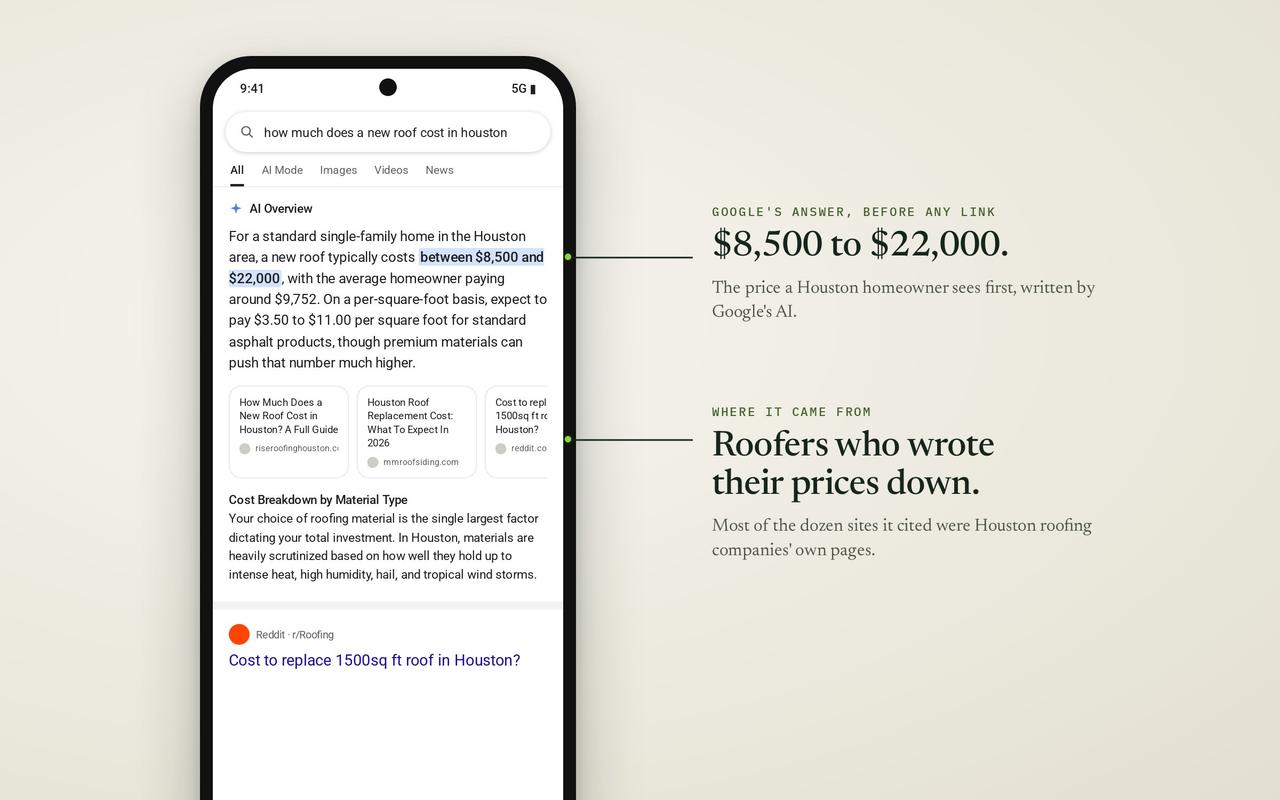
More and more customers ask Google's AI answers, ChatGPT or Gemini who to call before they ever see a list of websites. The good news: the work above is most of the AI work too.
26. Know that the basics are the AI work too (You)
Google is direct about its own AI answers. Its guidance for site owners says "there are no additional requirements to appear in AI Overviews or AI Mode, nor other special optimizations necessary." To be one of the sites those answers link to, it says, "a page must be indexed and eligible to be shown in Google Search with a snippet." In plain words: if Group 1 is done, you're in the running. Google also says "you don't need to create new machine readable files, AI text files, or markup to appear in these features." So if someone sells you a special "AI file" for Google, you can say no.
27. Ask the assistants about your trade in your town (You)
Open ChatGPT, Gemini and Google's AI Mode and ask the question a customer would: "Who's the best roofer in Plano?" Write down who they name. Run it again next month. That's your starting line. Don't expect them to match the map. In our study of AI against Google Maps, the business an assistant named first was in the Google Maps top 3 in only 53 of 792 answers on November 2, 2026, and the assistants rarely agreed with each other.
28. Answer customers' real questions on your pages (You)
Write down the ten questions customers ask you on the phone: how much, how long, do you do weekends, do I need a permit. Put the answers on your site, in plain sentences, on the page each one belongs to. Those answers are what a customer reading your page wants, and they're the kind of clear, direct text AI answers quote. Our guide to Google's AI Overviews goes further into how those answers pick their sources.
Group 6: Your two-minute monthly look
You don't need a report full of graphs. Two screens, once a month, tell you whether this is working.
29. Search Console: which searches show you (Monthly)
In Search Console, open the Performance report and look at the list of searches. You're looking for two things: are the searches the ones you'd want to be found for, and is the number of times you were shown going up month on month? Google's guide says "some changes might take effect in a few hours, others could take several months", so judge the trend over a few months, not a few days. Our article on how long SEO takes has realistic timings.
30. Your Business Profile: calls and directions (Monthly)
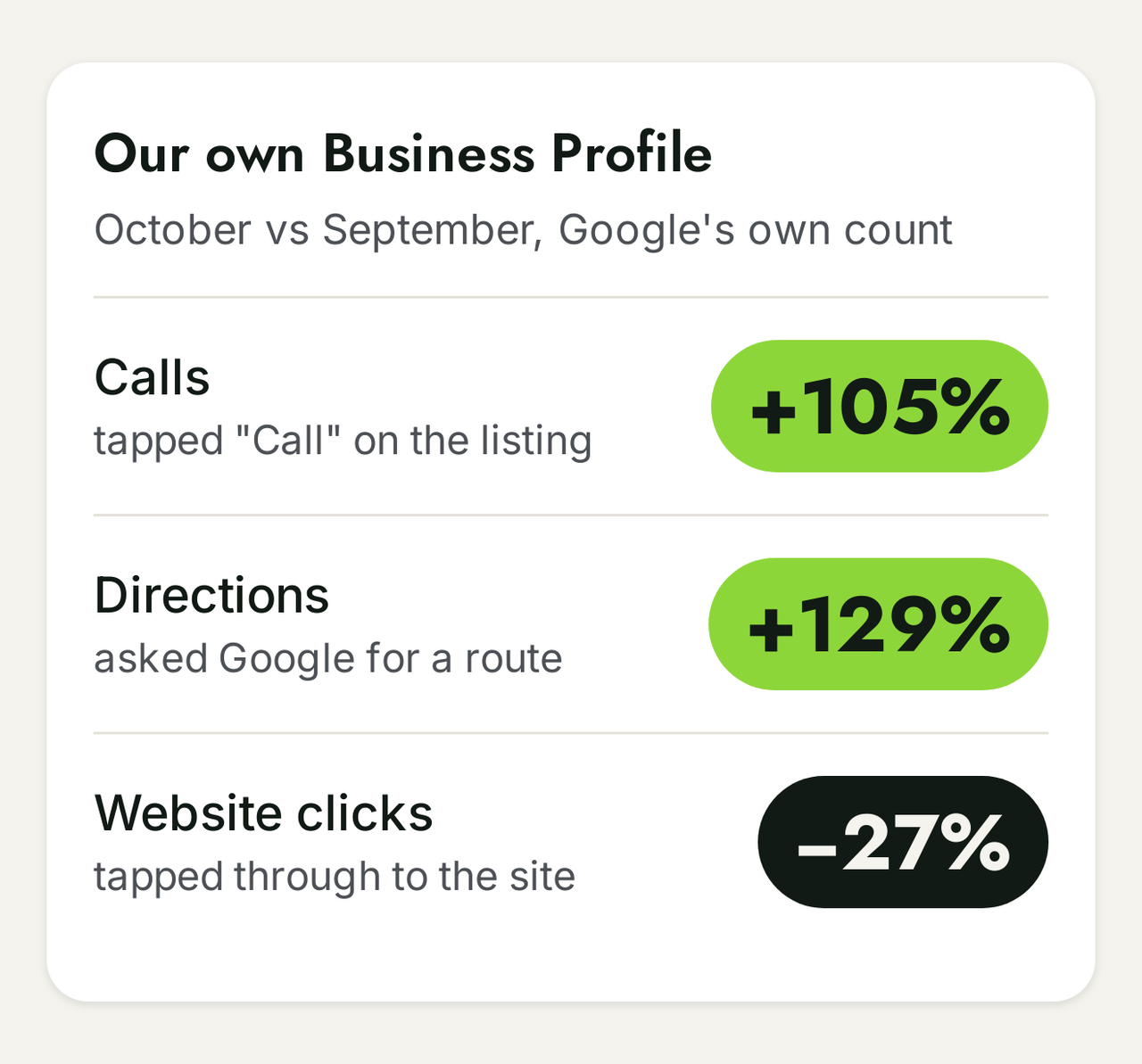
Your Google listing shows how many people called you from it, asked for directions and clicked through to your website. Write the three numbers down on the first of each month. If they climb, the map work is paying off. If they fall, check Group 2 again: hours, categories, photos and new reviews are the usual suspects.
What you can skip
Half the stress of a checklist is the stuff you think you're behind on. Three things you can stop worrying about:
- The keywords tag. Old guides tell you to fill in a list of keywords behind each page. Google's guide says flatly: "Google Search doesn't use the keywords meta tag."
- Special files for AI. As above, Google says you don't need them for its AI answers.
- Buying reviews or links in bulk. Both break Google's rules, and both can cost you the listing you've built.
The quick version: all 30 on one page
| # | Check | Who |
|---|---|---|
| 1 | Search your business name | You |
| 2 | Count your pages with site: | You |
| 3 | Search Console set up | Send it |
| 4 | Sitemap handed to Google | Send it |
| 5 | Nothing telling Google to stay away | Send it |
| 6 | Padlock (https) | You |
| 7 | One address for the site | Send it |
| 8 | Listing verified | You |
| 9 | Real business name | You |
| 10 | Fewest categories | You |
| 11 | Hours, holidays too | You |
| 12 | Services and area filled in | You |
| 13 | Real photos, monthly | You |
| 14 | Ask for reviews, answer all | You |
| 15 | A page per service | You, Send it |
| 16 | Real town pages | You |
| 17 | A title per page | Send it |
| 18 | Two-line summary per page | Send it |
| 19 | Tappable phone number | You |
| 20 | Fast on a phone | You, Send it |
| 21 | Photos described in words | Send it |
| 22 | Pages linked to each other | Send it |
| 23 | Same details everywhere | You |
| 24 | Apple and Bing listings | You |
| 25 | Links from real local sites | You |
| 26 | Basics are the AI work too | You |
| 27 | Ask the assistants | You |
| 28 | Answer real questions | You |
| 29 | Search Console searches | Monthly |
| 30 | Profile calls and directions | Monthly |
Or hand the whole list to us
Every check here is the first layer of what we do for clients, from the Business Profile and local SEO to pages, the technical side and AI search. If you'd rather spend the afternoon on your business, see how we work with small businesses. Our guarantee: Page one in 60 days, or we work free.
On pricing: Google Maps starts at $1,497 a month. Google rankings start at $2,697 a month. Both go up for multiple locations, multiple websites and complexity.
This is for businesses already doing $20k a month or more. If that's you, Book my free strategy call.
Every fact in this story is linked to its source. Spot something out of date? Tell the editor and we will correct it.
Questions readers ask
Frequently asked questions
How long does it take to work through this checklist?
The "You" checks take an afternoon. The "Send it" ones depend on your web person; most are short jobs for someone who knows the site. The results take longer: Google says some changes show in hours and others take several months.
Can I do all of this myself?
Most of it, yes. Groups 2, 4 and 5 are almost all yours. Group 1 and parts of Group 3 need whoever can change your website's settings, which is why those checks come with a line to send them.
Do I need a separate checklist for AI search?
For Google's own AI answers, no. Google says there are no additional requirements beyond being in its index and eligible to show with a snippet. Checks 27 and 28 are about watching what the assistants say and giving them clear answers to quote.
Is SEO still worth it in 2026?
The fair worry is that Google's AI answers now sit above the results and take the clicks. But those answers are built from websites, and Google sets the same bar for being one of them: "a page must be indexed and eligible to be shown in Google Search with a snippet." Nothing extra. So the work on this list now counts in three places at once: the regular results, the map, and the AI answer above them.
What does a checklist not cover?
Which searches are worth winning in your town, how strong the businesses above you are, and what it takes to pass them. That's the planning work an SEO audit does, business by business.
About the author