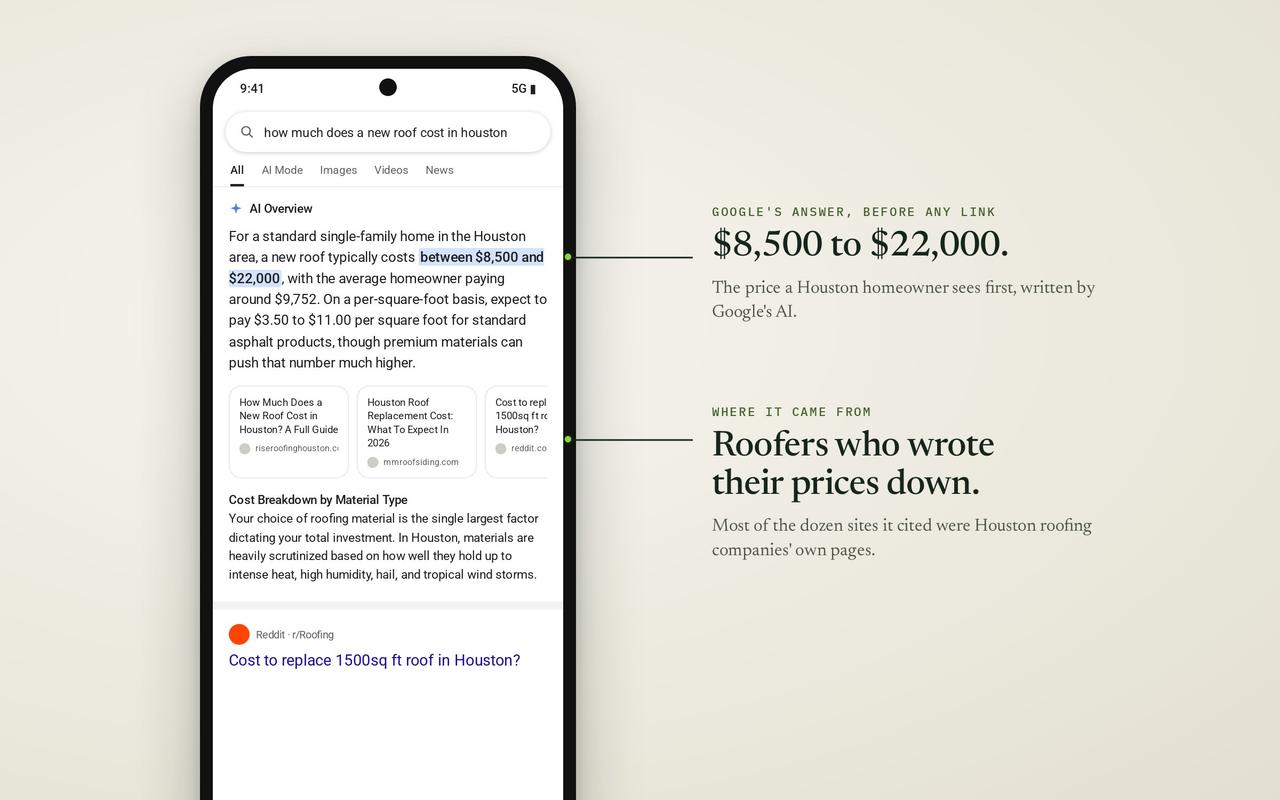
Guides
Why isn't my business showing up on Google? (2026)
Not on Google? A two-minute test tells you why, then every cause Google lists, the fix for each and how long Google says it takes.
· Updated · 6 min read
In this story
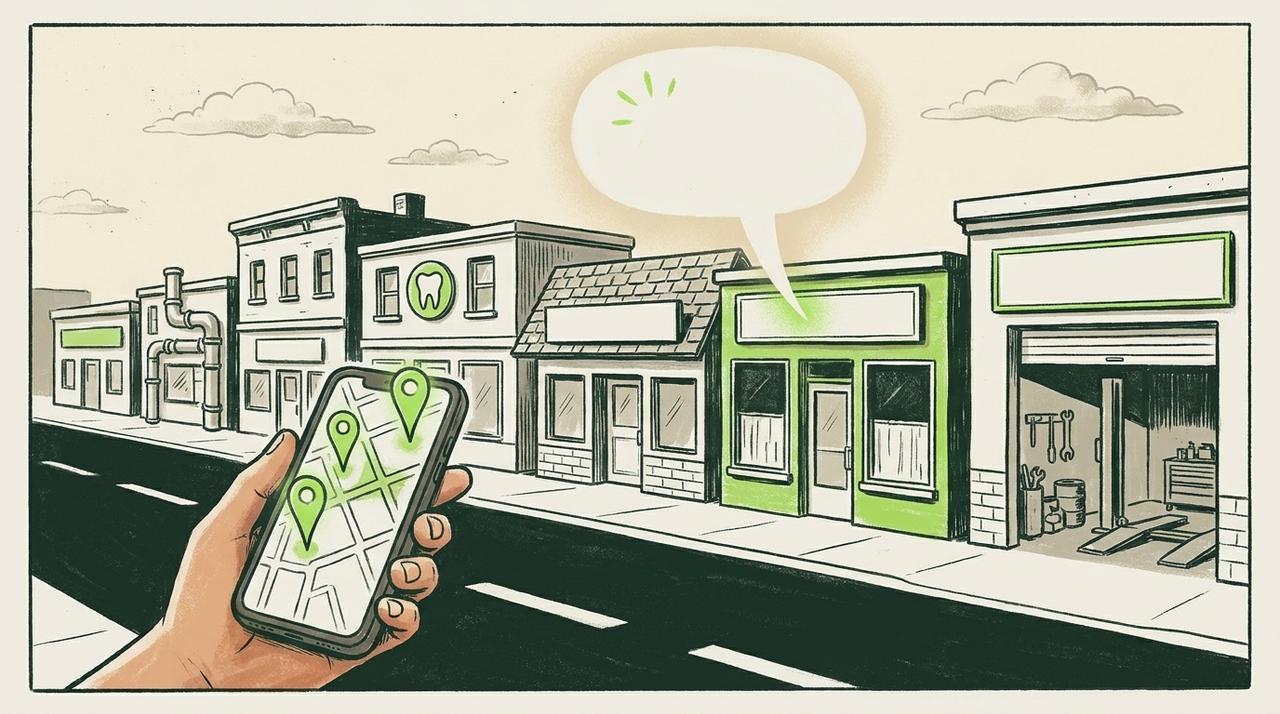
You type your business name into Google on your phone. Nothing. Or you type "plumber near me" from your own kitchen and scroll past ten other companies before you give up. It's one of the most common questions owners ask about Google, and it usually gets answered in a Facebook thread by a stranger.
Here is the short answer: "I'm not on Google" is really three different problems. Your Google listing (the box with your hours, phone number and map pin) may not be showing. Your website may not be in Google at all. Or both are there, and you simply aren't near the top for the searches your customers type. Each one has a different cause, a different fix and a different wait.
This guide takes you through the two-minute test that tells you which one you have, then every cause Google itself lists, checked against Google's own help pages on November 13, 2026. Most of the fixes are free and you can do them this week.
First: are you missing, or just not near the top?
Google's own help page gives the test, and it takes two minutes. Do it on your phone, the way a customer would.
- Search your business name and your city. Google's help page says to search "your business's name and city" on Google Search and on Google Maps. If you run Jenny's Plumbing in Toronto, type "jenny's plumbing toronto".
- Look for your website. Type
site:followed by your web address, with no space, into Google. For example:site:jennysplumbing.com. Google's Search Console help says to turn SafeSearch off first. Every page that comes up is in Google. - Now search the way a stranger would. "Plumber near me", "emergency plumber toronto". Note where you appear, if at all.
Then read your result:
- Your listing shows for your name, and
site:shows your pages: nothing is broken. You are not ranking yet for the searches strangers type. Skip to "Everything shows, but not for 'near me'". - Your listing doesn't show even for your name and city: the problem is the listing. Read the next section.
site:shows nothing, or only a few pages: the problem is the website. Read "If your website isn't in Google".
Stefan Somborac, a Diamond Product Expert on Google's own Business Profile help forum and a local search analyst at Sterling Sky, put the first case plainly in a guide he posted there in February 2026: "If you find your profile when you search <your business name> + <city>, it's working properly! If it's not showing up for other searches you think it should be showing up for, it's not broken, it's just not ranking well."
One warning before you test. Searching from your own shop is not a fair test of what a customer three miles away sees. Google's help page on local results says distance is one of the main things it weighs: "how far each business is from the customer who's searching." Your own searches also carry your own history. The name-and-city test is the one that tells you whether something is broken.
Never set up a Google listing? How to get your business on Google
Some owners find nothing at all on the name-and-city test because there is nothing to find yet. Google doesn't charge for a listing. Its help page: "You can add or claim your business at no charge." There are two cases.
No listing exists. Google's steps, word for word:
- "Go to business.google.com/add."
- "Click Add your business to Google."
- "Select a verification option, and follow the on-screen steps."
A listing exists, but nobody has claimed it. Google often builds one from public information. On a phone, Google's steps are: open the Google Maps app, enter the business name, select the correct business, then in the Business Profile tap "About", then "Claim this business", then "Manage now".
Either way, the listing only shows once it's verified, which is the first cause in the next section. Get the basics right on day one: your real business name with nothing added, the main category that matches what you do, your hours and your phone number. What a well-kept listing looks like, section by section, is on our Google Business Profile page.
If your Google listing doesn't show
The listing is what Google calls your Business Profile: the panel with your phone number, hours, reviews and pin on the map. For a local business it is often the first thing a customer sees. When it is missing, a customer who searches your name to find your number can land on a competitor's instead, or on an old directory page with the wrong one. Here is every reason Google's help pages give, and what each costs you.
It isn't verified yet
Google is direct about this: "Only verified businesses can show their business info on Maps and Search." Verifying is how you prove to Google you own the business. Google picks the method for you; its help page says the methods "are automatically determined by Google and can't be changed," and that a video recording is the option it recommends when you are offered it.
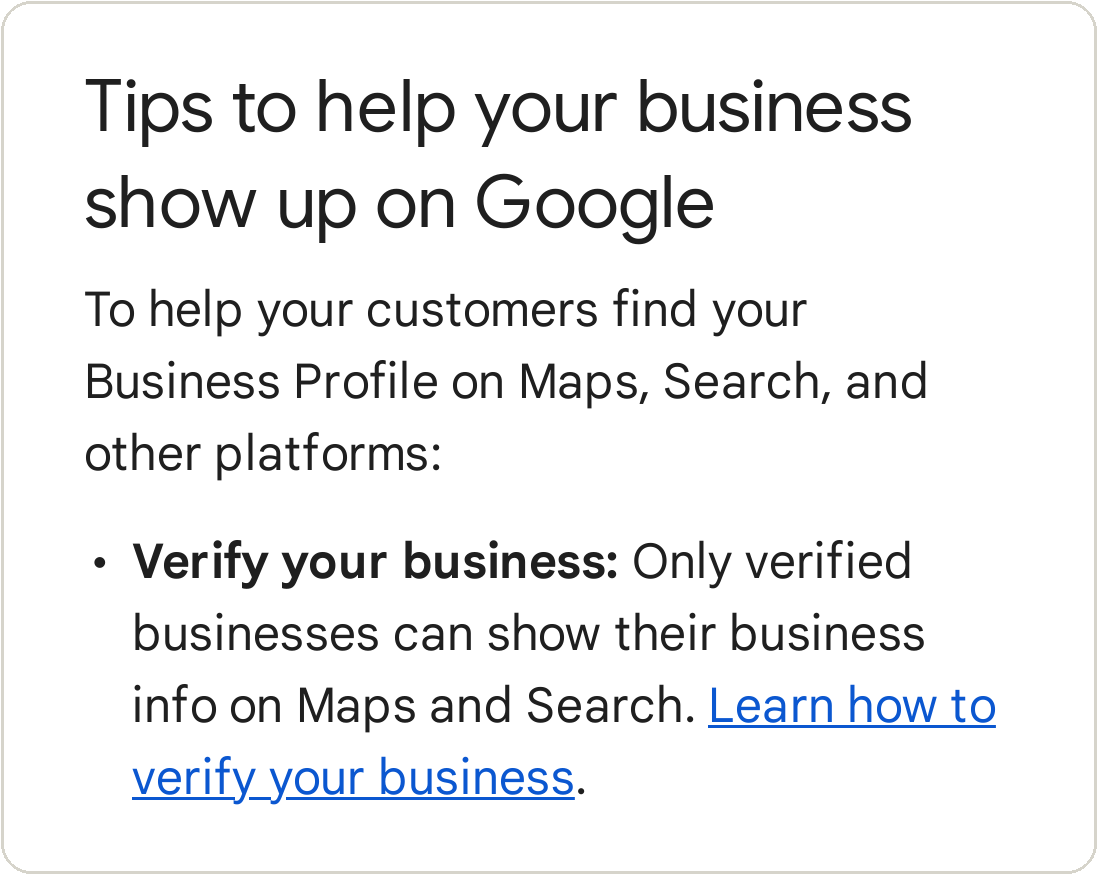
After you finish the steps, Google reviews what you sent: "verification reviews take up to 5 business days. On rare occasions, reviews may take longer."
The fix: sign in to the Google account that manages the listing, finish verification, then wait the five business days before you assume something else is wrong. If your website is already verified in Google's Search Console (the free tool where Google reports on your website), Google says it can sometimes verify the listing instantly.
It was suspended
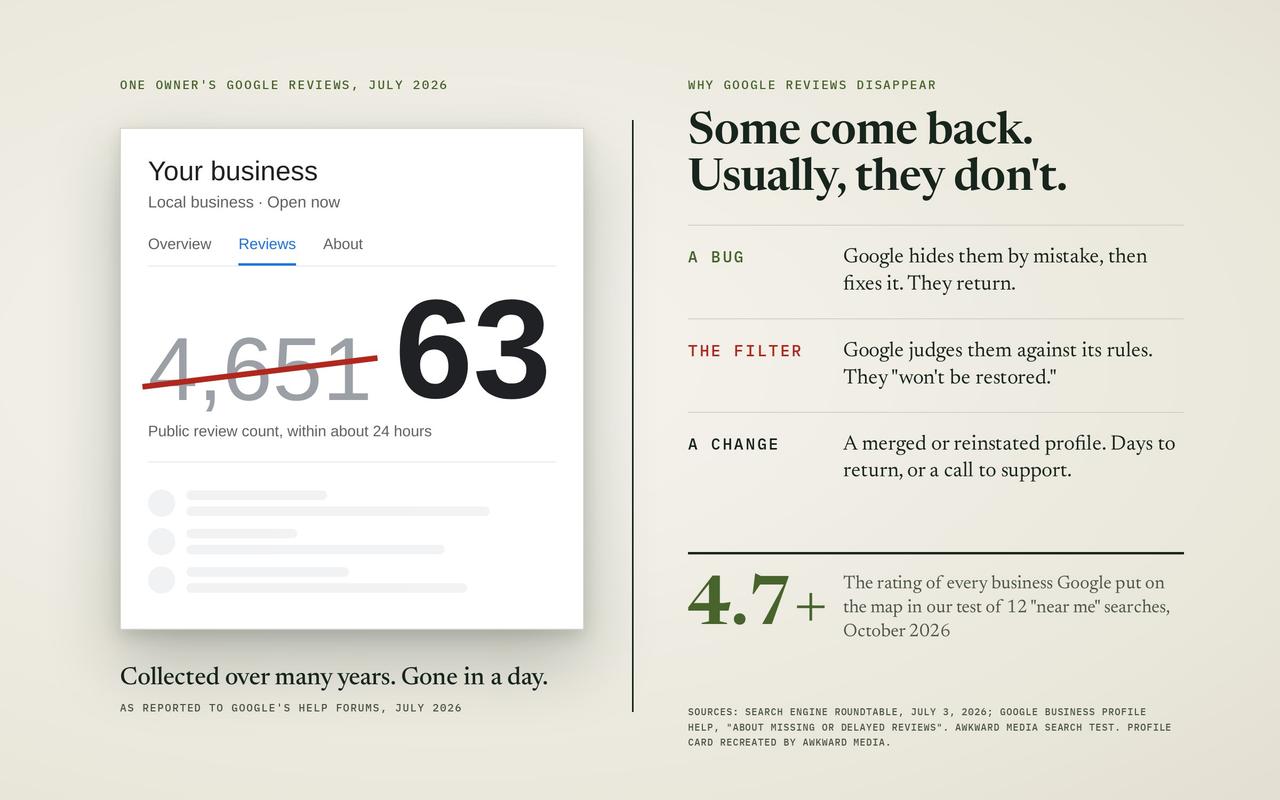
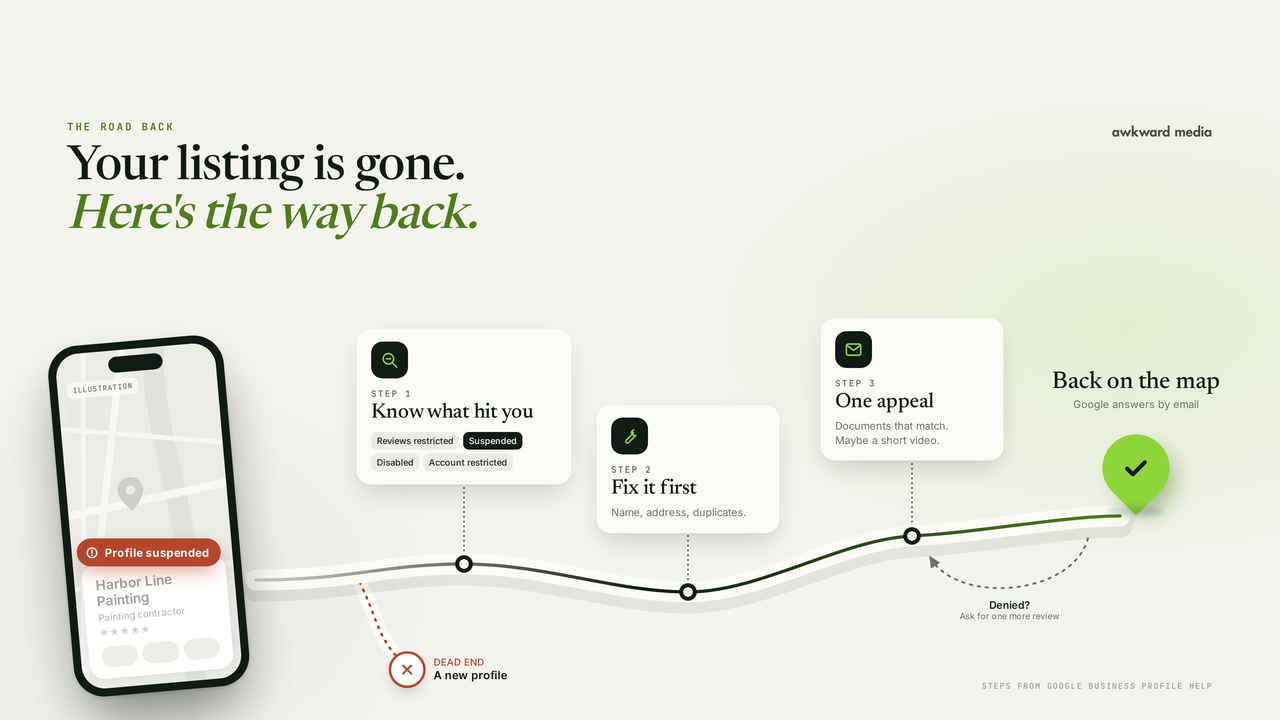
Google's help page: if your profile breaks its guidelines, "it becomes disabled or suspended and won't show to other users on Google until you resolve the issue." Google says you will get a notice in the Google account you use to manage the listing, so check that inbox first, including the spam folder.
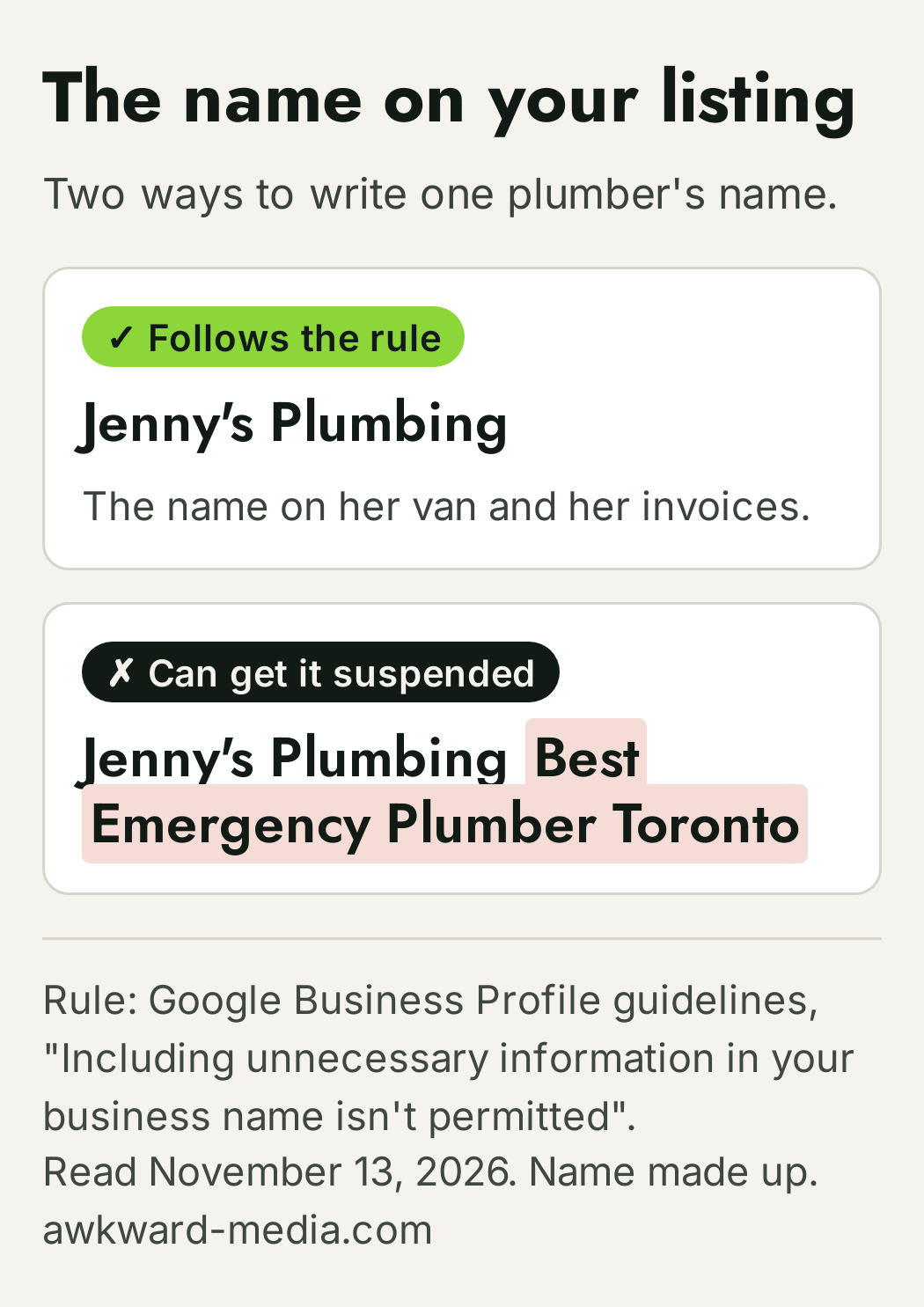
Google's guidelines name one trap themselves: "Including unnecessary information in your business name isn't permitted, and could result in the suspension of your Business Profile." So "Jenny's Plumbing" is fine and "Jenny's Plumbing Best Emergency Plumber Toronto" is not. The same guidelines ask you to list "your actual, real-world location" and to "choose the fewest number of categories it takes to describe your overall core business." You can appeal once you've fixed the cause. We walk through the appeal, step by step, in our guide to a suspended Google Business Profile.
Even after you win, the listing may not come straight back. Somborac's guide says reinstated profiles "often take a couple of days, or even a couple of weeks, to start showing up in the search results again."
It's new
Google's words: "Rankings for new businesses can take up to a month to appear in search results." A brand-new listing that shows for its name but nowhere else in its first month is normal.
You just edited it
Every change to a verified listing is checked by Google first. Its help page: "Edits usually take up to 10 minutes to review, but sometimes it can take up to 30 days." Once approved, Google says changes "can take up to 3 days to appear." A new name, a new address or a new category is the kind of edit most likely to sit in review.
The fix: make the edits you need in one go rather than one a day, and don't keep re-editing while a change says "Pending".
You have two listings
A second listing for the same business, often made years ago by a former employee or a previous owner, splits your reviews and confuses Google about which one to show. Google's help page is blunt: "You can have only one Business Profile for each business." And: "If a profile is considered a duplicate, it won't show on Google Search or Maps." The one Google hides may be the one you've been updating.
The fix: search your business name on Google Maps and scroll. If two pins carry your name, keep the one you control. Google's page "Resolve duplicate profiles & ownership issues" has the steps for merging duplicates on Maps and for removing one you made by mistake. If you moved, the same page is clear: "If your business relocates, do not create a new Business Profile for the new location. Instead, update the existing profile with the new address."
You hid your address, and you're looking for a pin
If you go to your customers (a roofer, a cleaner, a mover), Google asks you to hide your address. Its help page: "If you don't serve customers at your business address, remove your address from your Business Profile." Your listing still shows, but in your service area rather than as a pin at your street. Owners sometimes read that as "missing". It isn't.
If your website isn't in Google
Your listing and your website are two different things on Google, and one can be missing while the other shows. When your site isn't in Google, the customer who wants to see your work, your prices or your reviews before calling can't find it. For a lot of trades, that's the step just before the call.
Google's Search Console help page starts the same way our test does: "First verify that your page or site is actually missing from Google's index. Many people assume that they are not on Google, when in fact their page simply appears low in Search results." Google's index is simply its list of pages it can show. If site: finds your pages, you're in it.
It's new, or the page is new
Google's help page: "It takes some time after you post a new page before we crawl it, and more time after that to index it. The total time can be anywhere from a day or two to a few weeks, typically, depending on many factors." "Crawl" means Google's robot visiting the page; "index" means adding it to the list. Google also says to "allow at least a week" after you've asked it to look before you assume there's a problem.
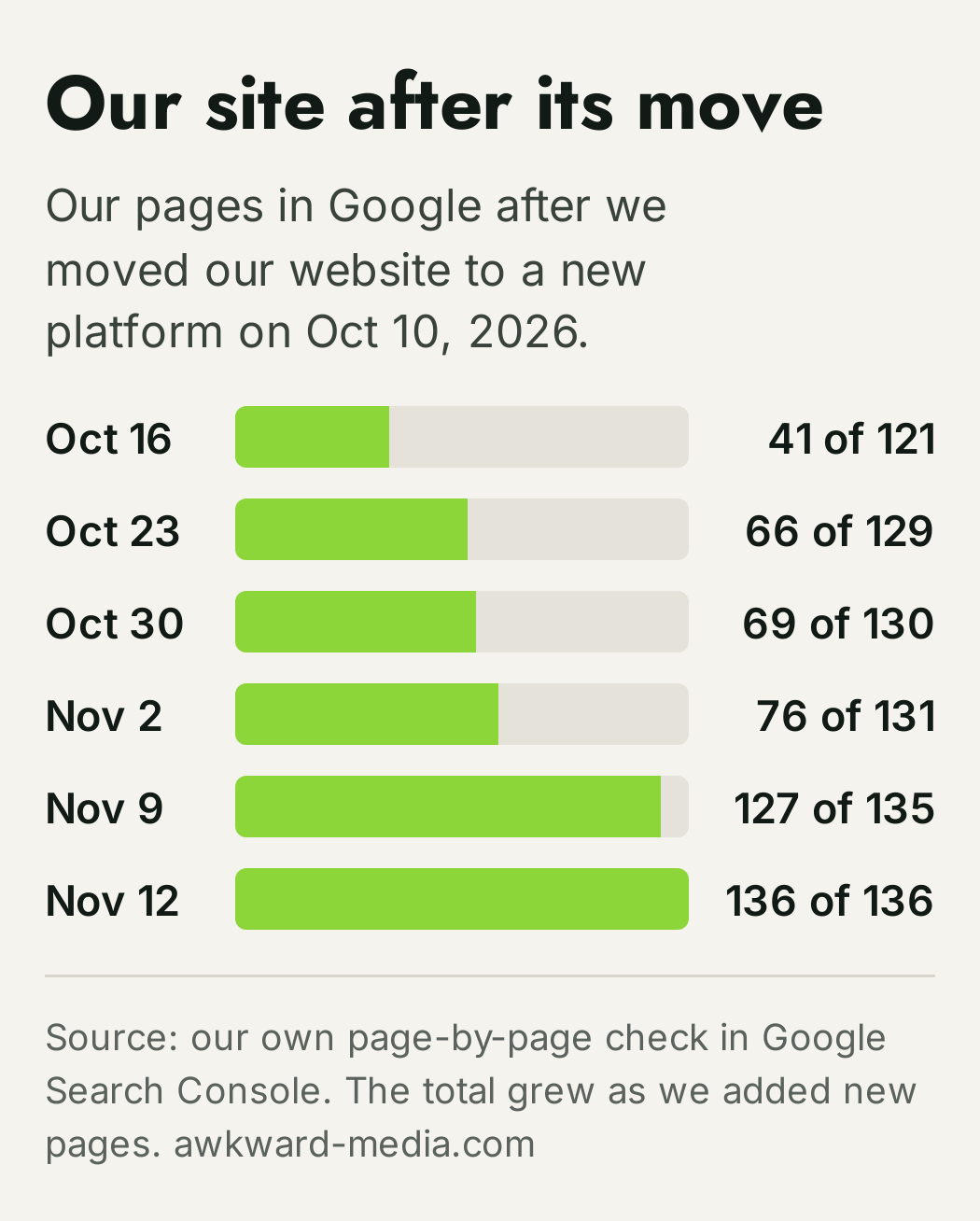
We have lived this ourselves. When we moved awkward-media.com to a new platform on October 10, Google took weeks to work through the new addresses. Six days after the move, 41 of the 121 pages we had then were in Google. It took about four weeks to get every page back in, and most of them came in during the last 10 days. By November 12, every one of our pages was in Google: 136 of 136, since we had added new pages along the way. That's from our own page-by-page check in Google's Search Console. That is normal, and it is also why we check it weekly rather than hoping. Our guide to how long SEO takes has every timing Google has published.
A setting is telling Google to stay away
This one catches a lot of small businesses, and it's usually one tick box. WordPress has a setting called "Discourage search engines from indexing this site". It is meant for sites under construction. If whoever built your site ticked it and never unticked it, Google is being asked to leave you out.
The same thing can happen page by page with a hidden line in the page code called "noindex". Google's own documentation says that when its robot finds that line, "Google will drop that page entirely from Google Search results, regardless of whether other sites link to it."
Send this to whoever runs your website:
"Please check three things on our site and tell me what you find:
1. In WordPress, Settings > Reading: is 'Discourage search engines from indexing this site' unticked? (Other builders have a similar 'hide from search engines' switch.)
2. Do any of our main pages carry a noindex tag?
3. In Google Search Console, open URL Inspection for our home page and one service page. What does it say, and when was the last crawl?"
If the box was ticked, untick it, then ask Google to look again: Google's help page says the URL Inspection tool lets you "request that a URL be crawled by Google." Google's own documentation is also honest that a page it doesn't consider important can wait: "it may take months for Googlebot to revisit a page."
You moved, rebuilt or renamed the site
A new website on new addresses, or a switch to a new domain, without old addresses pointing to new ones, is one of the fastest ways to vanish. Google treats each address as a separate page. If the old ones simply stop working, the trust they had built doesn't follow. We wrote up exactly what to ask your web designer before a rebuild in our guide to redesigning a website without losing Google. If the move has already happened and you've dropped, that's the job our website migration work exists for.
Everything shows, but not for "near me"
This is a common answer to the test, and it's good news: nothing is broken. You are on Google. You just aren't high enough for the searches strangers type, which is where new customers come from.
Google's help page on local results says it plainly: "Local results are mainly based on relevance, distance, and popularity." Relevance is how well your listing matches the search. Distance is how far you are from the person searching. And the third, which the same page explains under the heading "Prominence", is how well-known you are, based on things like "how many websites link to your business and how many reviews you have."
Reviews are one part of that, not the whole of it. Distance you can't change. Relevance and prominence you can: the right main category, a website with a page for each service you want to be found for, the towns you serve named on it, other sites that mention and link to you, and steady reviews from real customers. We go through each of those in order in how to rank higher on Google Maps and our step-by-step local SEO guide for small business, and the review side in how to get more Google reviews.
What it costs you to stay where you are: every search like "plumber near me" goes to someone in the top three on the map or the top few results below it. The owner who shows up there gets the chance at the call. The owner on page two doesn't get asked.
There is no single switch for this part. When the listing and the site are both sound, the climb comes from doing the steps above steadily, month after month, until Google has more reasons to show you than the businesses around you.
How long each fix takes
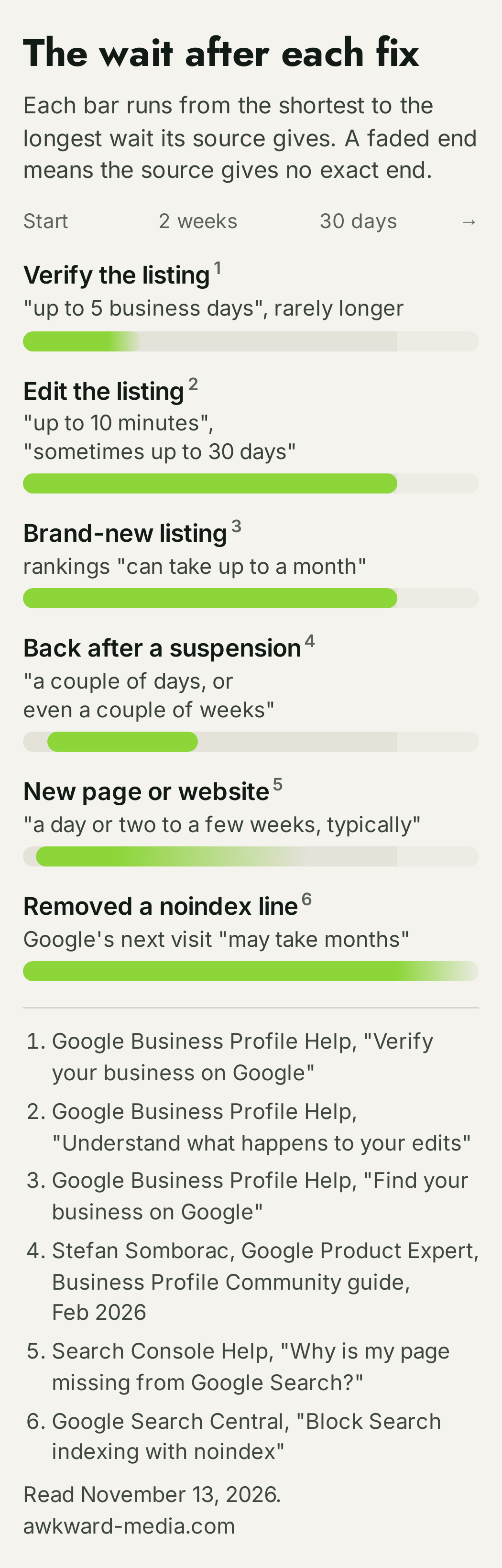
All read on November 13, 2026. Google changes these pages, so check the date on anything you read about them, ours included.
When it's worth getting help
If the test shows something is broken, the fixes above are free, and most take an afternoon and a week's wait. Do them first.
If the test shows nothing is broken and strangers searching for what you do simply aren't finding you, that's a bigger job: the right pages, the right listing, the right mentions around the web, done steadily for months. That's the work we do every day, on Google Maps and local search, on the regular Google results, and now in the AI answers from Google and ChatGPT. The work pays off in all of those places at once.
We put our timeline in writing: Page one in 60 days, or we work free.
This is for businesses already doing $20,000 a month or more. If that's you, we'll look at your listing and your site with you, and tell you which of these three problems you have and what we'd do about it.
Every fact in this story is linked to its source. Spot something out of date? Tell the editor and we will correct it.
Questions readers ask
Frequently asked questions
Why is my business not showing up on Google?
Usually one of three things: your Google listing isn't showing (not verified, suspended, too new, a duplicate, or an edit still in review), your website isn't in Google yet (too new, or a setting is telling Google to stay away), or both are there and you aren't ranking for the searches customers type. Search your business name and city to see which one you have. If your listing shows for your name and city, and site: shows your pages, nothing is broken.
How long does it take for my business to show up on Google Search?
For a listing, Google says verification reviews "take up to 5 business days", and "rankings for new businesses can take up to a month to appear in search results." For a new website or page, Google's help page says "anywhere from a day or two to a few weeks, typically."
How do I get my business on Google Search?
Create a free Business Profile at business.google.com/add, choose a verification option and follow the steps. If Google already made a listing for you, claim it from Google Maps instead. Google says you can add or claim your business "at no charge."
Why would a Google Business Profile disappear?
Google's help pages give these reasons: a profile that breaks its guidelines "becomes disabled or suspended and won't show to other users on Google until you resolve the issue"; a profile Google considers a duplicate "won't show on Google Search or Maps"; and a profile with an edit under review can take time to update. Check the Google account that manages the listing for a notice first.
How can I check if my website is in Google?
Type site: followed by your web address into Google, with no space, for example site:example.com, with SafeSearch off. Every page that comes up is in Google. For one page, your web person can open the URL Inspection tool in Google Search Console, which shows whether the page is on Google and when Google last visited it.
Why is my Facebook business page showing up but not my website?
Your Facebook page and your website are two separate pages as far as Google is concerned, and either can show without the other. Run the site: test on your web address first. If your pages come up, your site is in Google and needs to earn its own place for your name: your name, address and phone number on the site, and your Google listing linking to it. If nothing comes up, use the website checks in this guide.
Do I have to pay Google to show up?
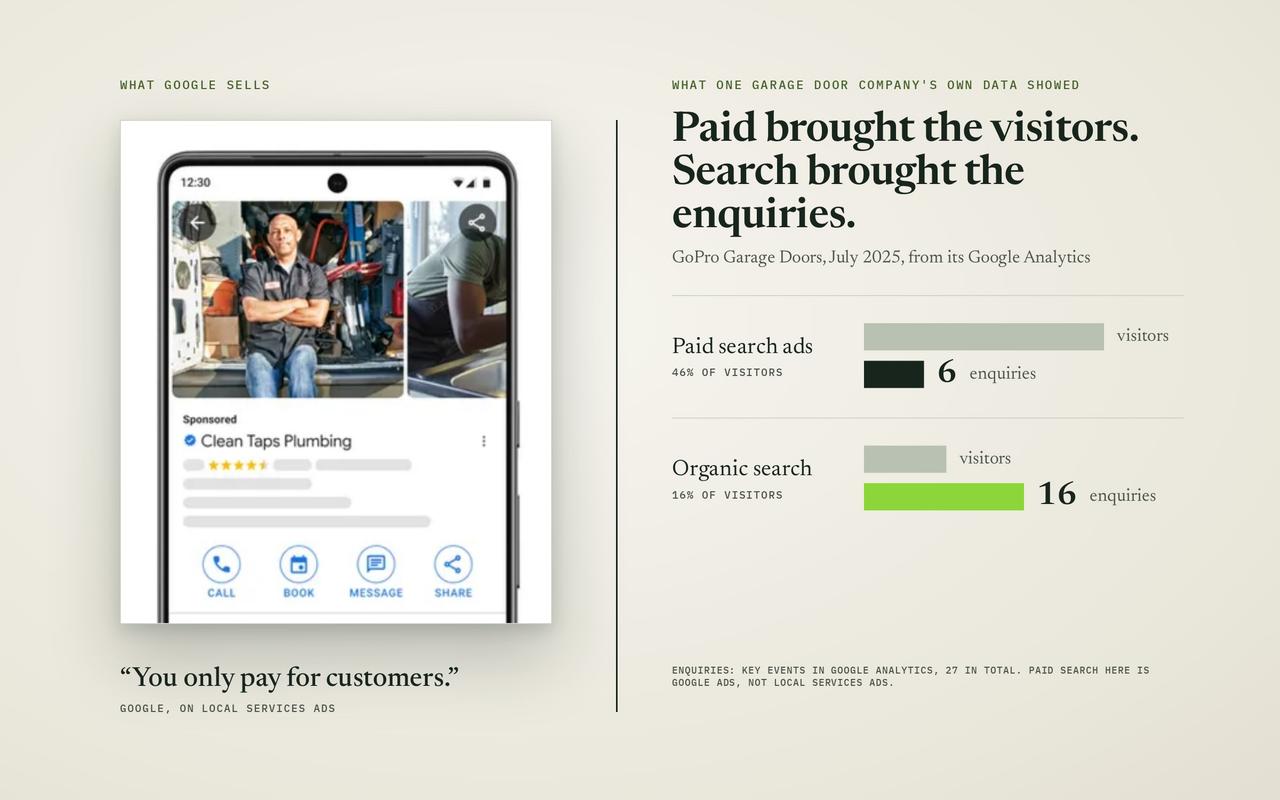
No. The listing is free, and so is being in Google's regular results. Google's local ranking help page says: "There's no way to request or pay for a better local ranking on Google." Ads are a separate, paid space.
My listing shows for my name but not for "near me". What's wrong?
Nothing is broken. Google says local results "are mainly based on relevance, distance, and popularity." Showing for "near me" means ranking well on those against the businesses around you, which takes steady work on your listing, your website and your reputation across the web.
About the author