Guides
How to rank higher on Google (2026): what actually moves a business website up
Google says what it weighs when it decides who goes first. This guide turns each part into plain steps for a business website, with Google's own words and our own dated readings.
· Updated · 6 min read

In this story
Type your trade and your town into Google and look at who comes up first. If it isn't you, the natural thought is that someone has paid, or found a trick, or simply been around longer. Mostly, none of those is the reason.
Google publishes, in its own words, what it looks at when it puts one website above another. Its page on how results are ranked, read on November 20, 2026, says its systems "look at many factors and signals, including the words of your query, relevance and usability of pages, expertise of sources, and your location and settings." It then breaks that into five headings: meaning, relevance, quality, usability and context.
Those five headings are the whole game for a business website in the regular results, the blue links under any ads. This guide takes them one at a time, in plain words, with what you or whoever runs your website can do about each, how long it takes to show, and what isn't worth paying for. Where we use our own numbers, they come from dated readings of our own site.
Can you pay Google to rank higher?
No. Not in the regular results. Google says so on the same page, in a section on how it labels ads.
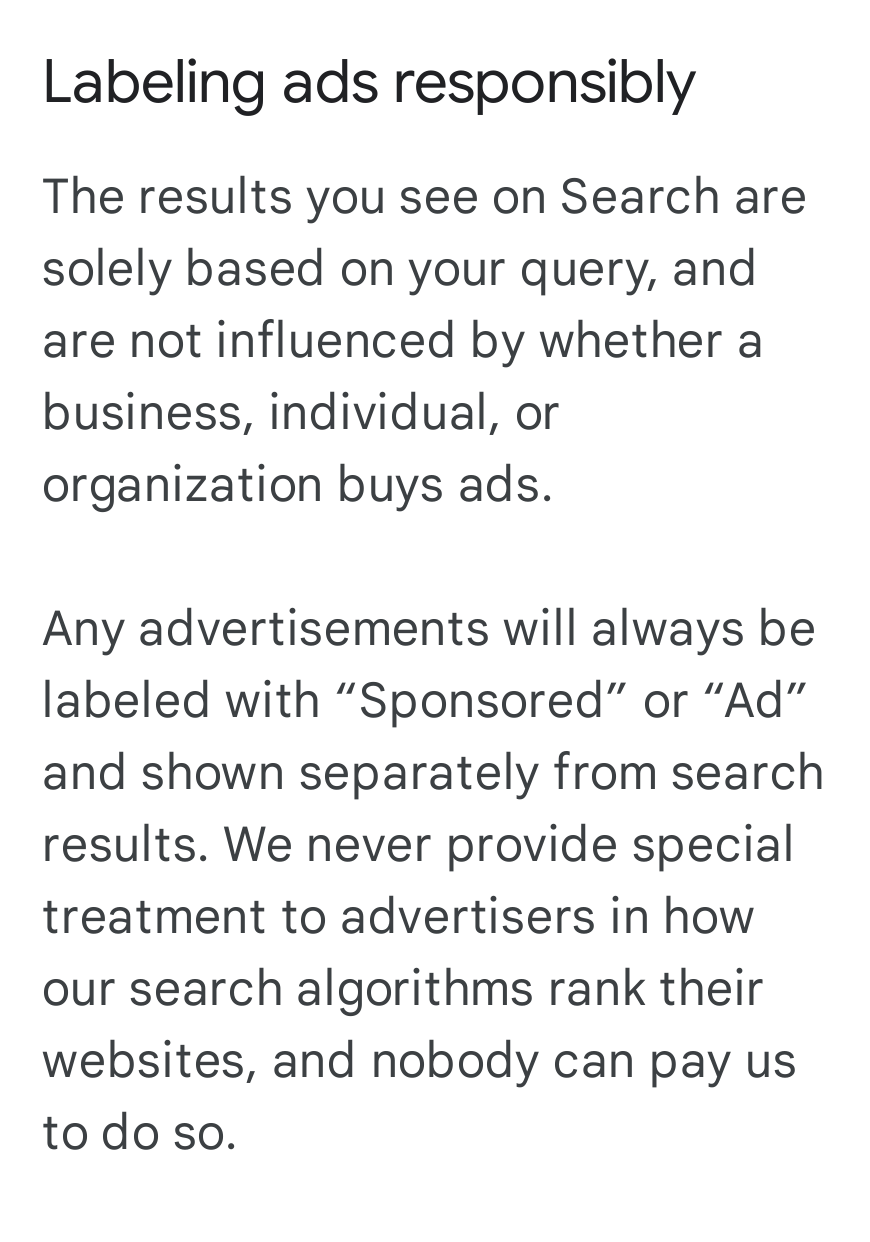
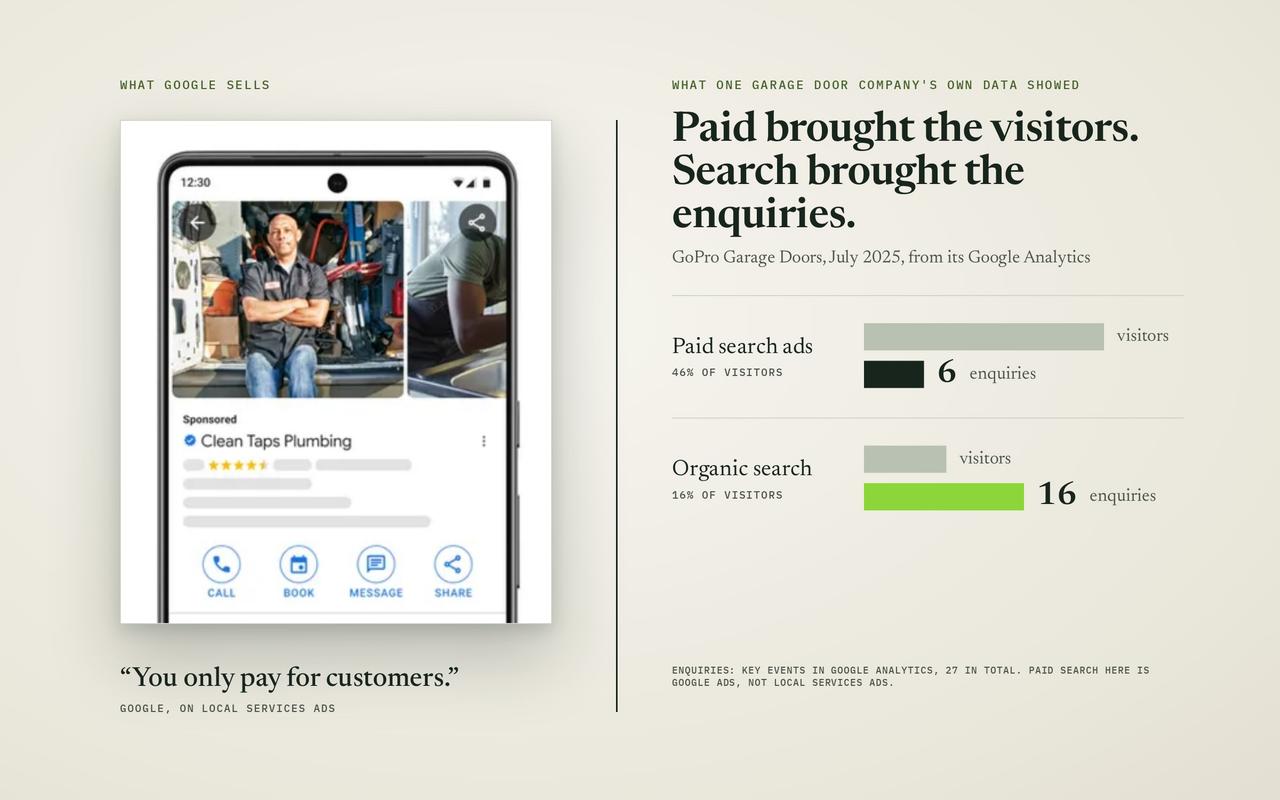
What you can pay for is an ad, and as Google says there, an ad carries a "Sponsored" or "Ad" label and sits apart from the regular results. An ad stops the day the budget stops. A place in the regular results is earned, and it stays as long as you keep earning it. We compared the two, trade by trade, in SEO vs Google Ads: what a click really costs in your trade. Many businesses run both, and the two work well together.
So the useful question isn't who to pay. It's what Google is looking for, and whether your website gives it.
What is Google looking at when it ranks a website?
Here are Google's five headings, each with a few of its own words under it, and what they mean for a business website.
| Google’s heading | What it means for you |
|---|---|
| Meaning "we first need to establish what you're looking for" | Google works out what the searcher wants: a price, a phone number, a how-to. Your page has to be the kind of page they want. |
| Relevance "when content contains the same keywords as your search query" | Your page uses the words your customers type, in its headings and text. |
| Quality "expertise, authoritativeness, and trustworthiness" | Your page shows you know the work, and other websites mention you. |
| Usability "mobile-friendly content that loads quickly" | Your page opens fast and reads easily on a phone. |
| Context "your location, past Search history, and Search settings" | Where the searcher stands changes what they see. You can't control it, but you can plan for it. |
Notice what's missing from that list: how long you've been in business, how much you spend on ads, and how nice the website looks. Those can help indirectly. None of them is one of the five.
Before any of the five can count, though, there's a step zero. Google has to have your page at all.
Step 1: Is Google keeping your pages at all?
Google can only rank a page it has found and filed. It mainly finds pages the way a person would, by following links. Its starter guide for site owners puts it plainly: "Google primarily finds pages through links from other pages it already crawled." A page nothing links to, or a page your website quietly tells Google to skip, can sit there for months without ever being a candidate.
The quick check takes ten seconds. Type site: followed by your web address into Google, with no space, like site:yourbusiness.com. What comes back is roughly the pages Google has kept. If your services page or your town page is missing, nothing else in this guide can help that page yet.
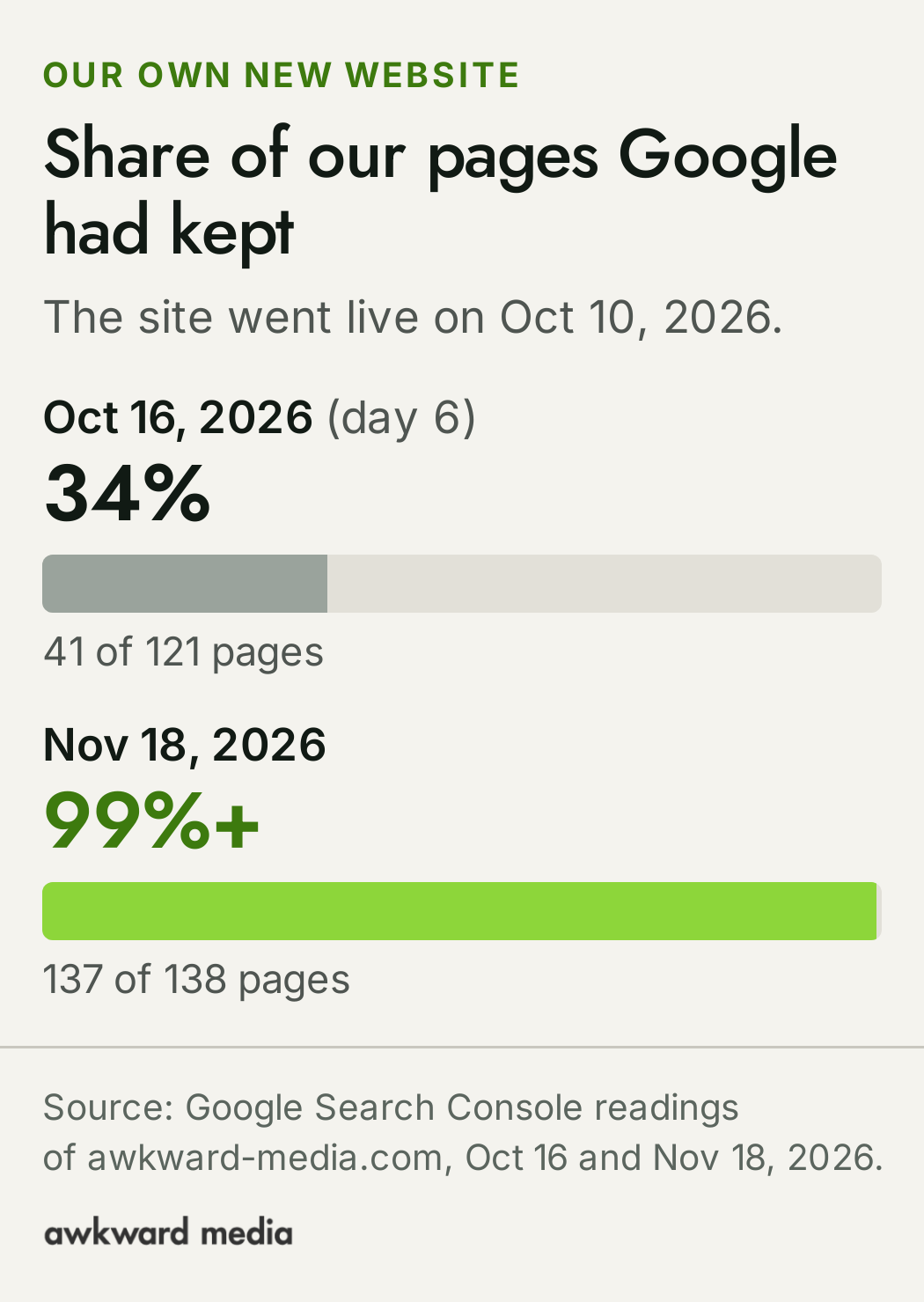
This step can be slow, even when everything is set up well. When we put our own new website live on October 10, 2026, Google had kept 34% of its pages six days later, on October 16 (41 of 121). By November 18, Google had kept over 99% (137 of 138), according to Search Console. The one page still waiting was our article on SEO for a new website, published the day before.
If you have pages Google isn't keeping, our guide to why a business doesn't show up on Google walks through the usual causes one by one. If your site is new, start with SEO for a new website. And if the cause turns out to be something in how the site is built, that's the job our technical SEO work does: making sure Google can reach, read and keep every page you want found.
Step 2: Do your pages use the words your customers type?
This is Google's "relevance" heading, and its own description is almost disappointingly simple: "The most basic signal that information is relevant is when content contains the same keywords as your search query." It adds: "if those keywords appear in the headings or body text of a webpage, the information might be more relevant."
The catch is that the words you use about your work are often not the words your customers type.
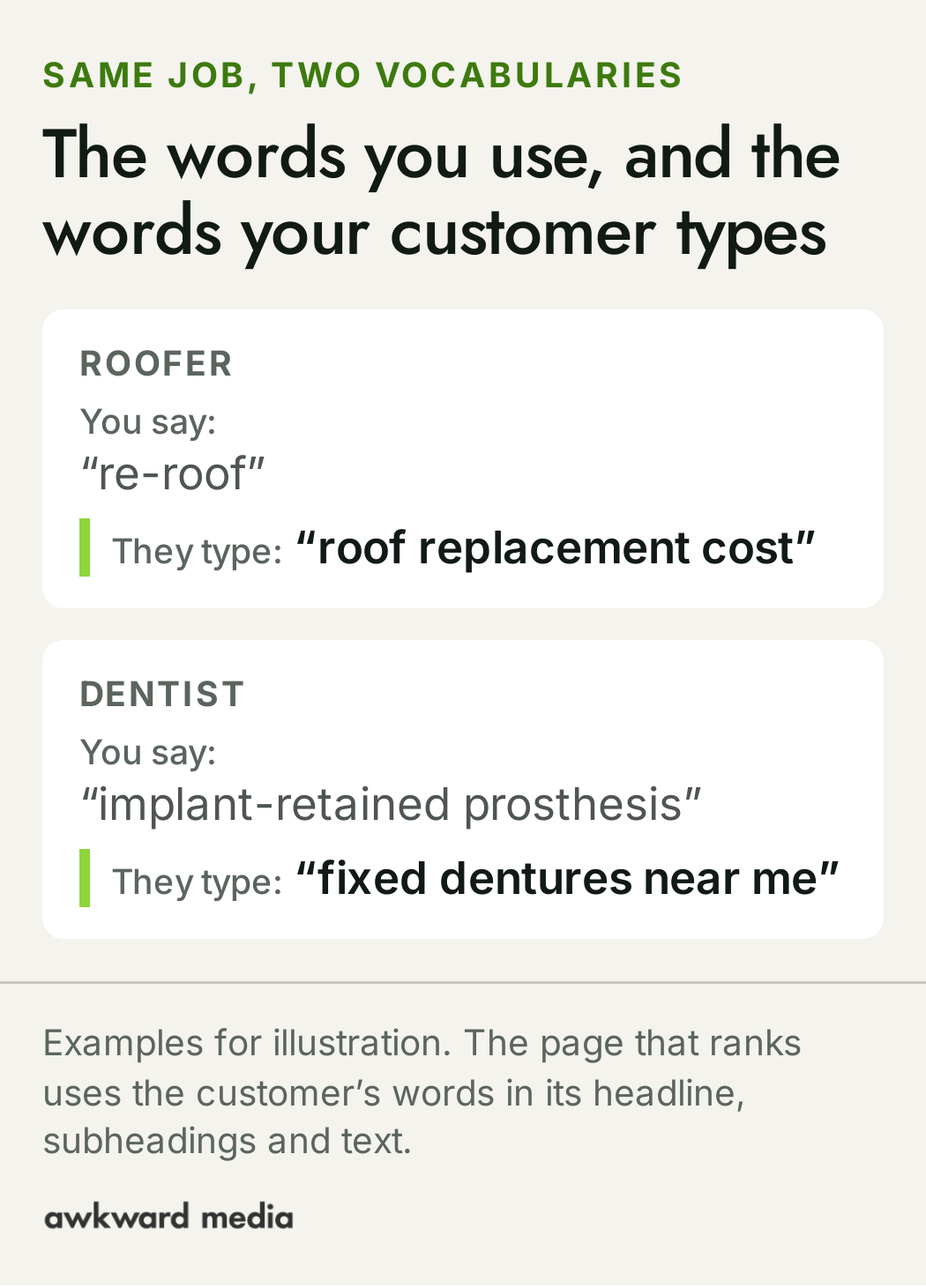
Google's starter guide makes the same point: "Users who know a lot about the topic might use different keywords in their search queries than someone who is new to the topic."
Three free ways to find your customers' words:
- Start typing in Google. Type the first few words of your service and read the suggestions Google offers. Those come from what people search.
- Read "People also ask". The box of questions on many results pages is a list of what your customers wonder about. Each is a heading your page could answer.
- Ask Google Search Console. It's Google's free tool for website owners, and it lists the searches your site already shows up for. Searches where you sit on page two are often the quickest to move.
Then put those words where Google says it looks: the page's headline, its subheadings and its text. Not stuffed in. Google's guide warns against that and says that varying the words, "writing naturally to not be repetitive," gives you "more chances to show up in Search simply because you are using more keywords."
This is the core of on-page SEO and SEO content writing: matching each page to the searches that bring the customers you want. It's also why one page per service, and one per town you really work in, tends to beat a single page that lists everything. Our industry pages show what that looks like trade by trade.
Step 3: Does your page show that you know the work?
This is "quality", and it's where many business websites leave the most on the table. Google says its systems look for signals of "expertise, authoritativeness, and trustworthiness". Its guide to helpful content gives site owners a list of questions to ask about their own pages. One of them: "Is this content written or reviewed by an expert or enthusiast who demonstrably knows the topic well?"
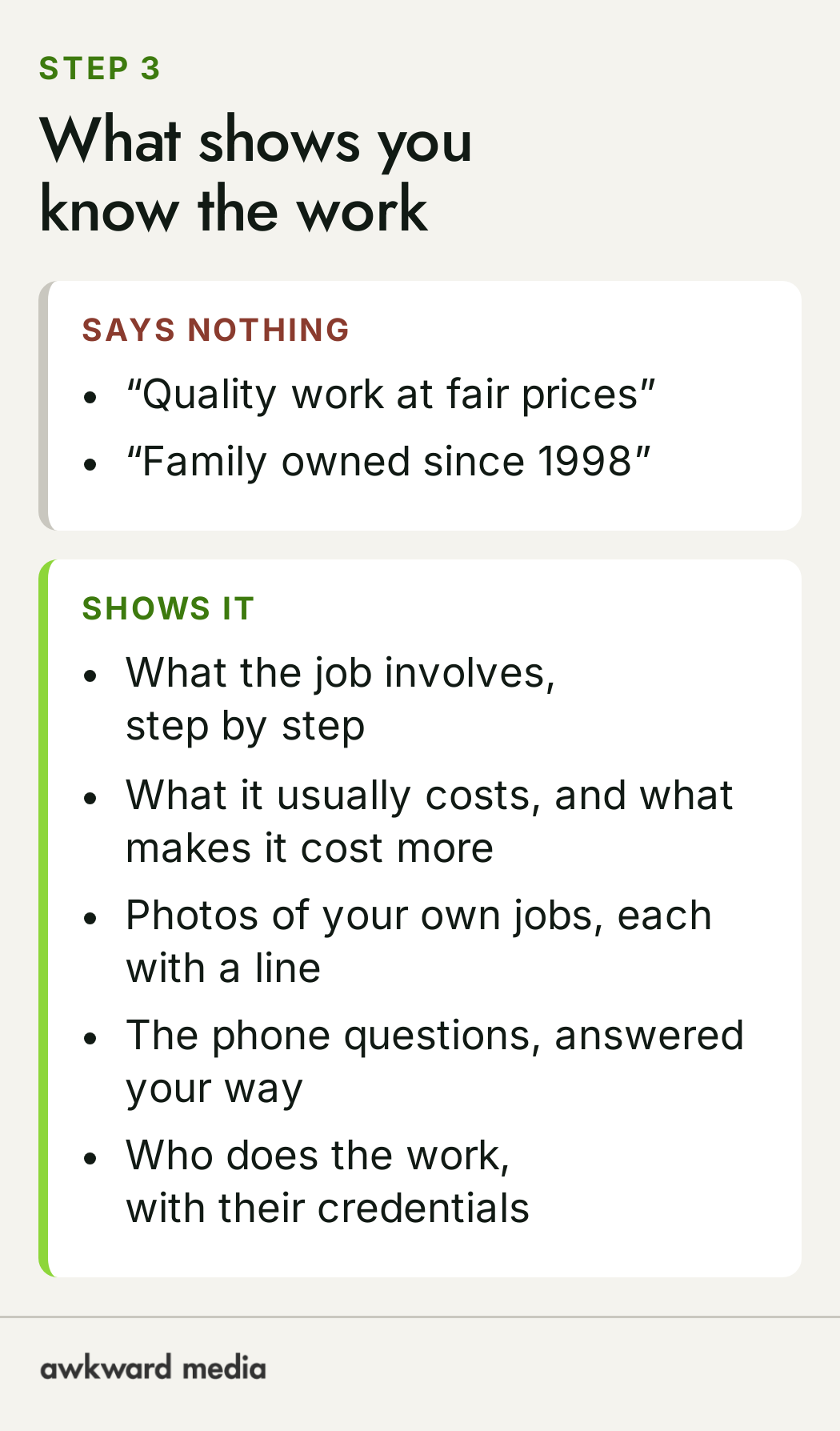
A business owner is that expert. The trouble is that many service pages don't show it. They say "quality work at fair prices" and "family owned since 1998", which every competitor also says. What shows expertise is the detail only someone who does the work would know.
Google states the aim in one line: its ranking systems "are designed to prioritize helpful, reliable information that's created to benefit people, and not content that's created to manipulate search engine rankings." A page written to answer a customer is the page Google is built to reward.
Step 4: Do other websites mention you?
The second half of "quality" happens off your website. Google's ranking page says: "one of the factors used to determine quality is understanding if other prominent websites link or refer to the content. This is generally a good sign that the information is trustworthy."
A link from another website works like a referral. A link from your local newspaper, your trade association or a supplier you've worked with for years says something real about you. A link bought from a stranger's network of empty websites says nothing good. Google's spam policies, read on November 20, 2026, list "Buying or selling links for ranking purposes" as link spam.
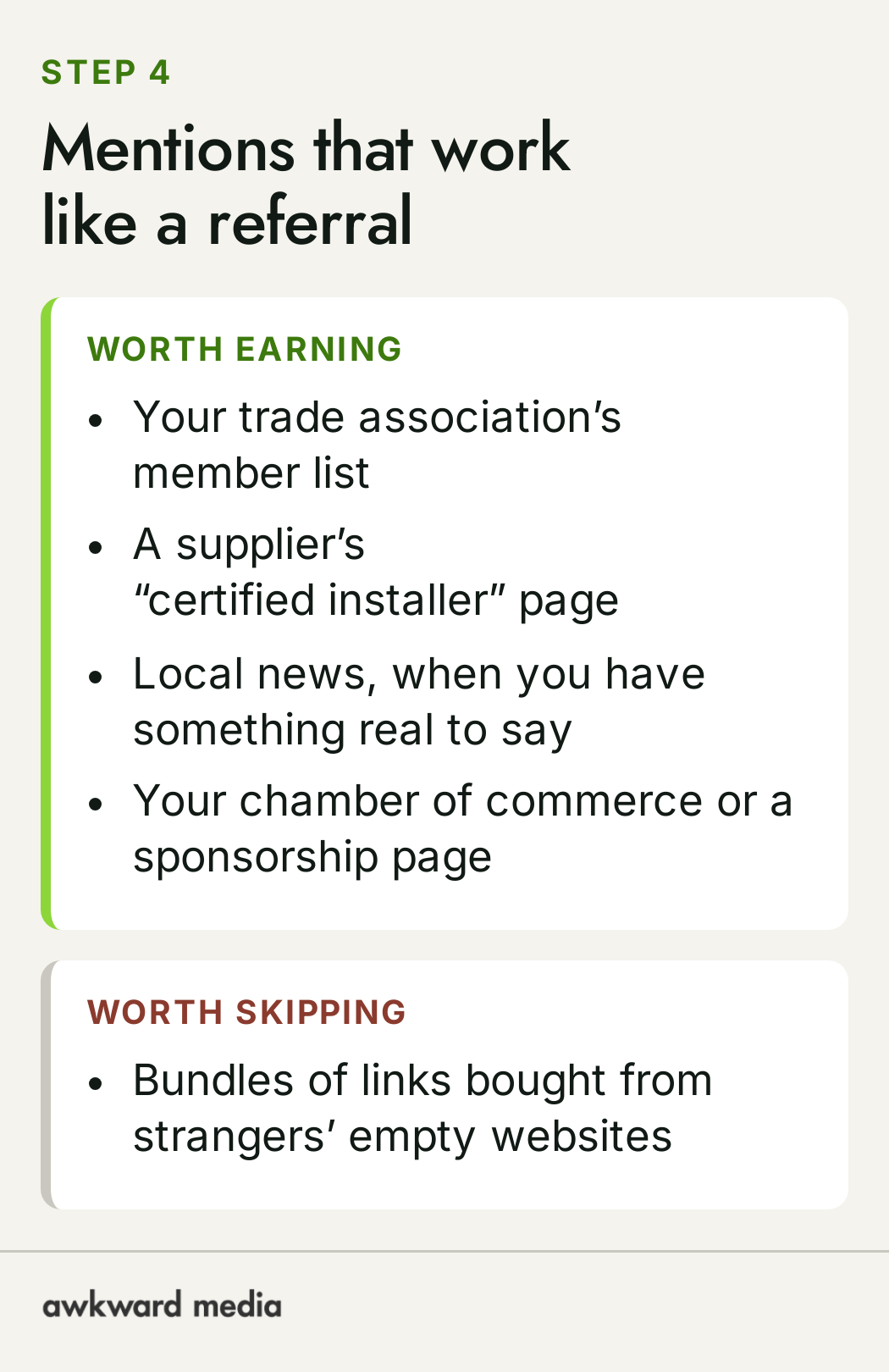
Earning mentions like these, month after month, is what our link building service does. It's steady work, done every month, because the mentions keep adding up.
Step 5: Does your site work well on a phone?
"Usability" is the heading owners often worry about first. Google's own description makes it sound more like a tie-breaker: "When all other signals are relatively equal, content that people will find more accessible may perform better." The example it gives is "mobile-friendly content that loads quickly."
A fast site with nothing useful on it won't beat a slower one that answers the question. But between two good pages, the one that opens quickly and reads easily on a phone has the edge, and it's the one a customer stays on. Google's helpful content guide adds that site owners "should not focus on only one or two aspects of page experience." In plain words: don't chase a speed score. Open your own site on your own phone, on mobile data, and fix whatever annoys you.
Step 6: Why do you rank differently in your van than at a customer’s home?
This is "context", and it explains a puzzle many owners know: "I come up first when I search from my van, so why does a customer at home say she couldn't find me?" Google says it uses "your location, past Search history, and Search settings to determine what is most relevant for you in the moment."

So your own search isn't a fair test. Google knows where you're standing, and if you often search for your own business and click your site, that history counts too. A customer across town sees a different page. That's why we measure rankings with Google Search Console, which reports an average position across everyone who saw your site, rather than with one person's search.
Location matters most for the map of businesses that appears for searches like "plumber near me". That's a different system with its own rules, and we cover it in how to rank higher on Google Maps. This guide stays with your website in the regular results.
How long until you move up?
Google's own answer is a range: "Some changes might take effect in a few hours, others could take several months." Its advice to site owners is: "In general, you likely want to wait a few weeks to assess whether your work had beneficial effects in Google Search results."
Here's one dated example from our own site. In Google Search Console, our Toronto page's average position for “search engine optimization agency toronto” went from 12.5 (Oct 11 to 24) to 4.2 (Oct 27 to Nov 9). A lower number is higher up: an average of 12.5 falls on page two, where few people look, and 4.2 is on page one.
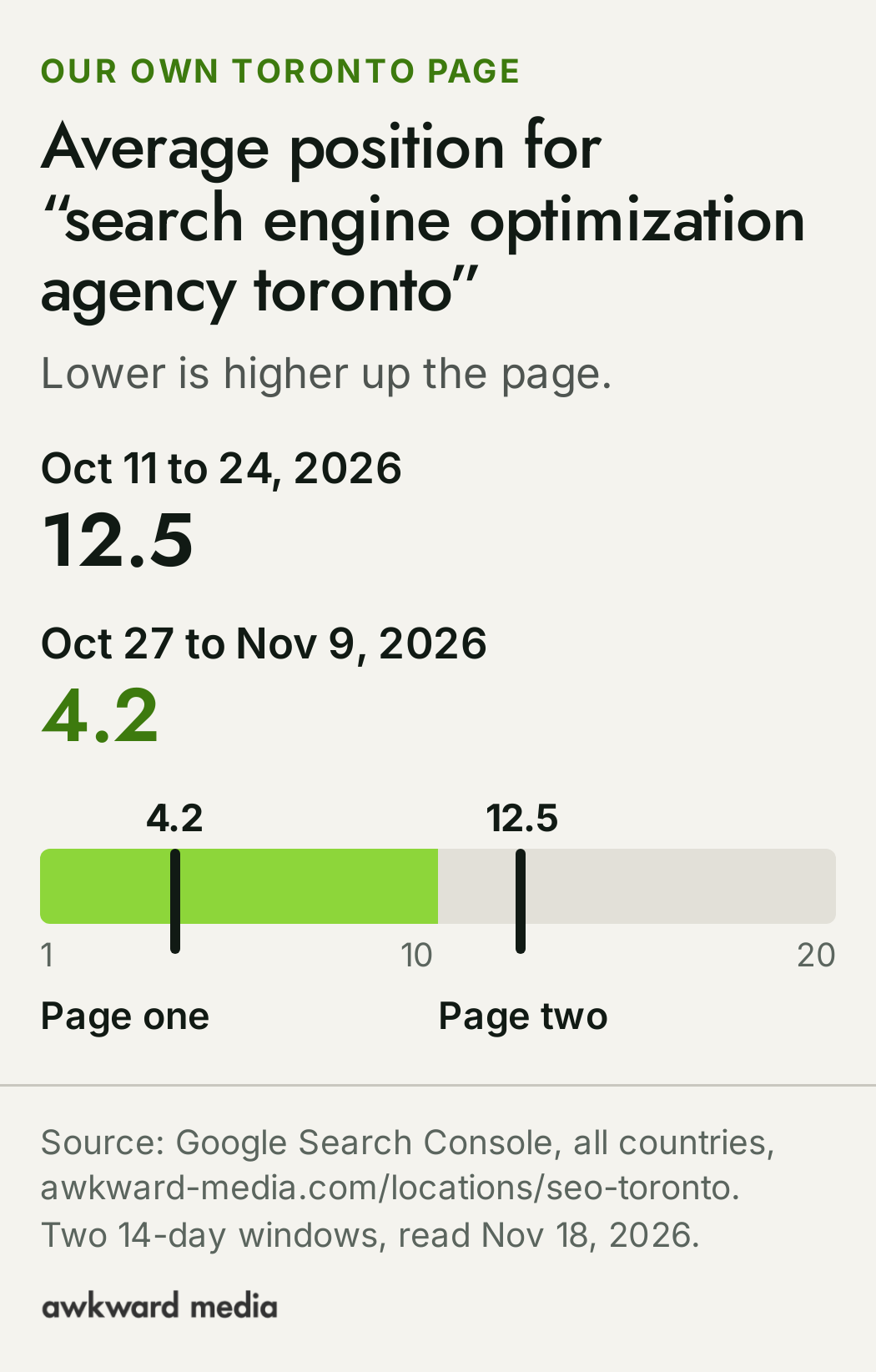
That page went through every step above: Google had it filed, it uses the words people search, it answers their questions with real detail, and it links to the rest of the site. Our guide to how long SEO takes sets out Google's timelines in more detail. On our own client work, first movement usually shows within weeks, and we put our timelines in writing: Page one in 60 days, or we work free. The terms are on our guarantees page.
Does this help with AI answers too?
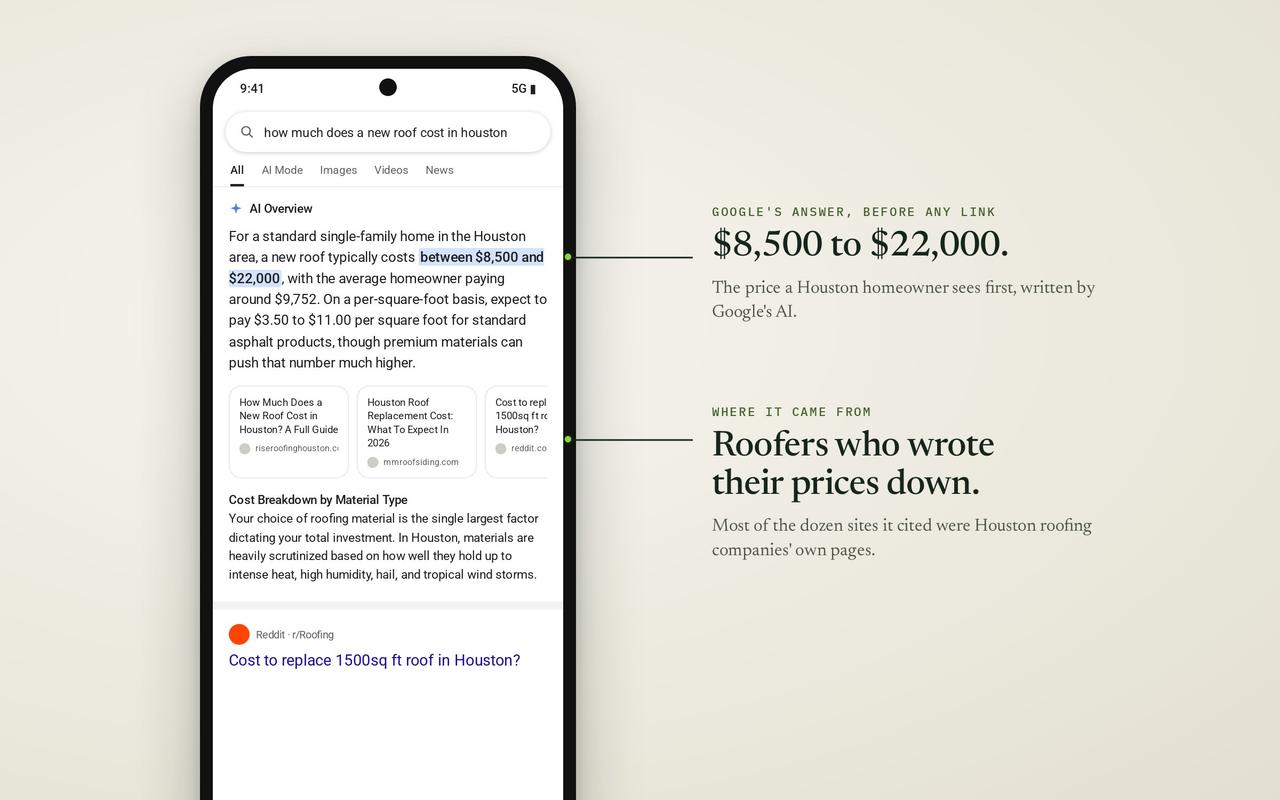
Yes, and it's the same work. Google's AI answer now sits above the regular results for many searches, including this one: when we read the results page for "how to rank higher on google" on November 20, 2026, the AI answer came first and cited Google's own help pages, YouTube and Reddit.
So a page built to rank now pays off in more places: the regular results, Google's AI answer and the assistants your customers ask. Our AI search work builds on that, and our guide to Google's AI answers explains what they mean for a business. In our own study of 200 local searches, we compared the businesses AI assistants named with the Google Maps top results.
What isn't worth paying for?
Some things still get sold to business owners as ranking fixes. Google's own documents say otherwise:
- A "keywords" tag. Google's starter guide: "Google Search doesn't use the keywords meta tag." If someone charges you to fill it in, that money buys nothing on Google.
- A web address stuffed with keywords. The same guide: "the keywords in the name of the domain (or URL path) alone have hardly any effect beyond appearing in breadcrumbs." A clear address you already own is fine.
- Bundles of cheap links. See step 4. They can do harm.
Where do you start this week?
The steps above are the why. For the what, our SEO checklist for business owners turns them into 30 checks in plain words, each marked as one you can do yourself or one to send to whoever runs your website. Work through it in order, starting with the first group: whether Google can find your website at all.
If your business also depends on the map, pair it with our guide to local SEO for small business.
When does it make sense to hand this over?
Everything here is free to do yourself, and plenty of owners do the first round themselves. It gets harder when there are dozens of pages to write, links to earn every month, and readings to take and act on every week while you run the business.
That's the work we do, across SEO for local, national and ecommerce businesses, plus AI search. Prices are public on our pricing page: Google Maps starts at $1,497 a month. Google rankings start at $2,697 a month. Both go up for multiple locations, multiple websites and complexity. You can see what that work has done for other businesses in our case studies.
This is for businesses already doing $20k a month or more. If that's you, book a free strategy call: we'll look at where your website stands on Google today and what would move it first.
Every fact in this story is linked to its source. Spot something out of date? Tell the editor and we will correct it.
Questions readers ask
Frequently asked questions
Can I pay Google to rank my website higher?
Not in the regular results. Google's page on how it ranks results says "nobody can pay us to do so." You can pay for ads, which Google labels "Sponsored" or "Ad" and shows separately. A place in the regular results is earned by the page itself.
How does Google decide who ranks first?
Google says its systems look at the meaning of the search, how relevant each page is, its quality (including whether other prominent websites link to it), how usable it is, and the searcher's location and settings. No single one of these decides it alone.
How long does it take to rank higher on Google?
Google's starter guide says some changes "might take effect in a few hours, others could take several months," and suggests waiting a few weeks before judging. Our guide to how long SEO takes has the detail.
Why do I rank higher when I search on my own phone?
Google uses your location, your past searches and your settings to decide what to show you. If you often search for your own business and click your site, that history counts too. A customer elsewhere sees a different page, so measure with Google Search Console, which averages across everyone who saw your site.
Do I need a blog to rank higher on Google?
Not always. For many businesses the pages that matter first are the service pages and the town pages. Articles help when they answer the questions your customers search before they buy, and when they link to those pages.
Does having more Google reviews make my website rank higher?
Reviews are part of your Google Business Profile, which matters mainly for the map. For the regular results, Google's ranking page talks about relevance, quality, usability and context. Reviews are one sign of a good business among many, not the thing that decides your website's place.
Can I do this myself?
Yes, all of it. Our SEO checklist splits the work into checks you can do yourself and ones to send to whoever runs your website. Owners usually hand it over when there are many pages to write and links to earn every month.
Is it worth hiring an SEO agency?
It depends on what a new customer is worth to you and how much time you have. Our prices are public, and our guarantees are in writing.
About the author