Guides
How to get more Google reviews (2026): the steps Google allows, checked this week
Google's own steps for your free review link and QR code, what to say, what gets a profile punished, and how much reviews really move you on the map.
· Updated · 6 min read
In this story
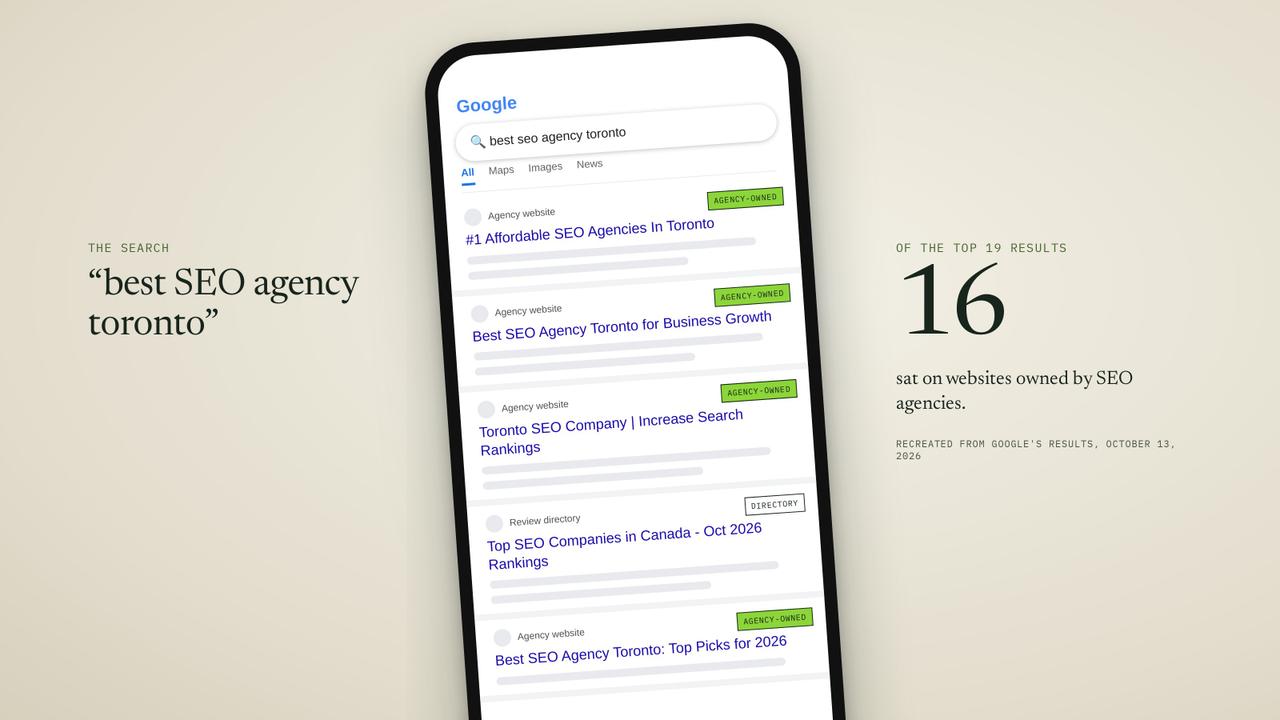
One of the pages ranking on Google's first page for this question this week, from a research firm and last updated in August 2026, ends with what it calls a "secret hack." The firm surveys your customers first, and in its own words, "Customers who offer positive reviews are redirected automatically to your Google review page." The unhappy ones are kept off Google.
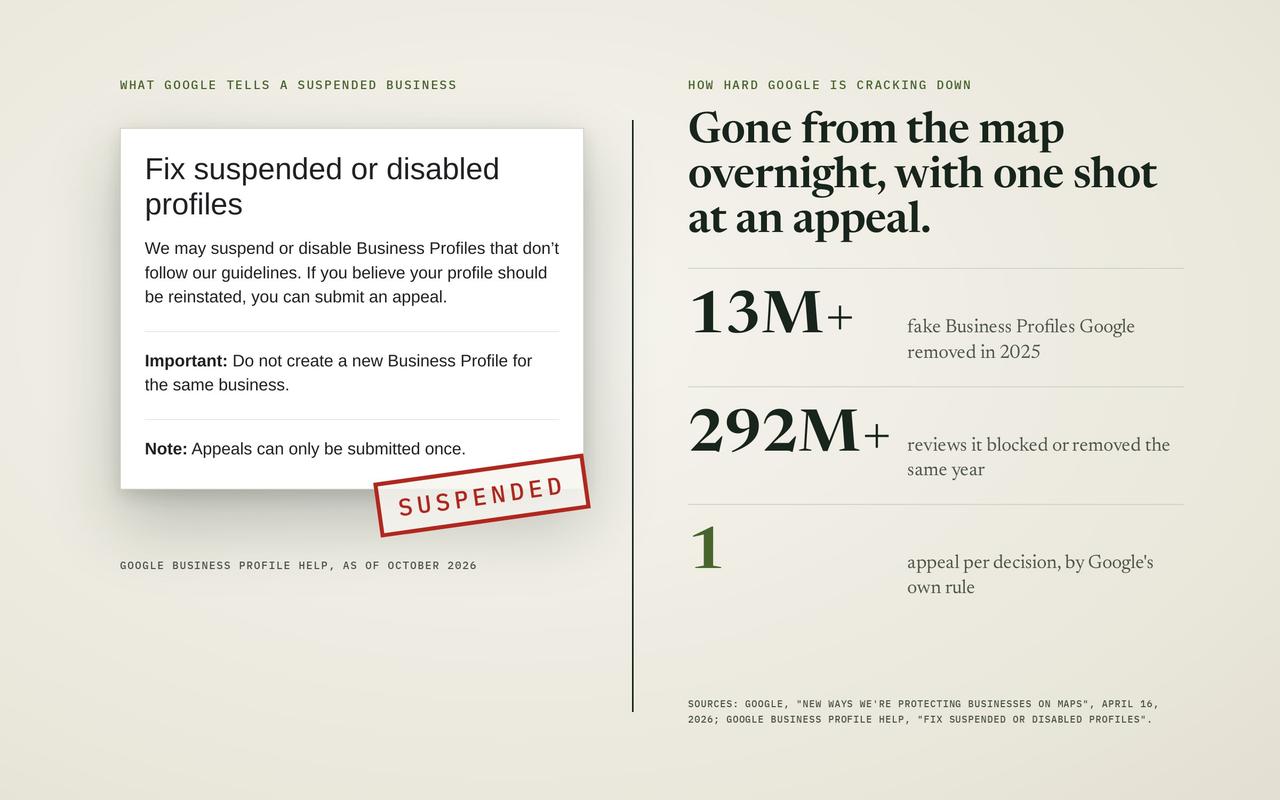
Google's own rules for business owners forbid exactly that. A business may not "selectively solicit positive reviews from customers," the policy says, and a profile caught doing it can be blocked from getting new reviews or have its existing ones hidden.
So this guide does one thing the others don't. Every step in it was checked against Google's own help pages on November 6, 2026: where your review link sits today, how to turn it into a QR code, what to say when you ask, what Google punishes, and how far reviews actually move you on the map. For that last question we ran our own check in four cities. The business with the most reviews was never in the top three.
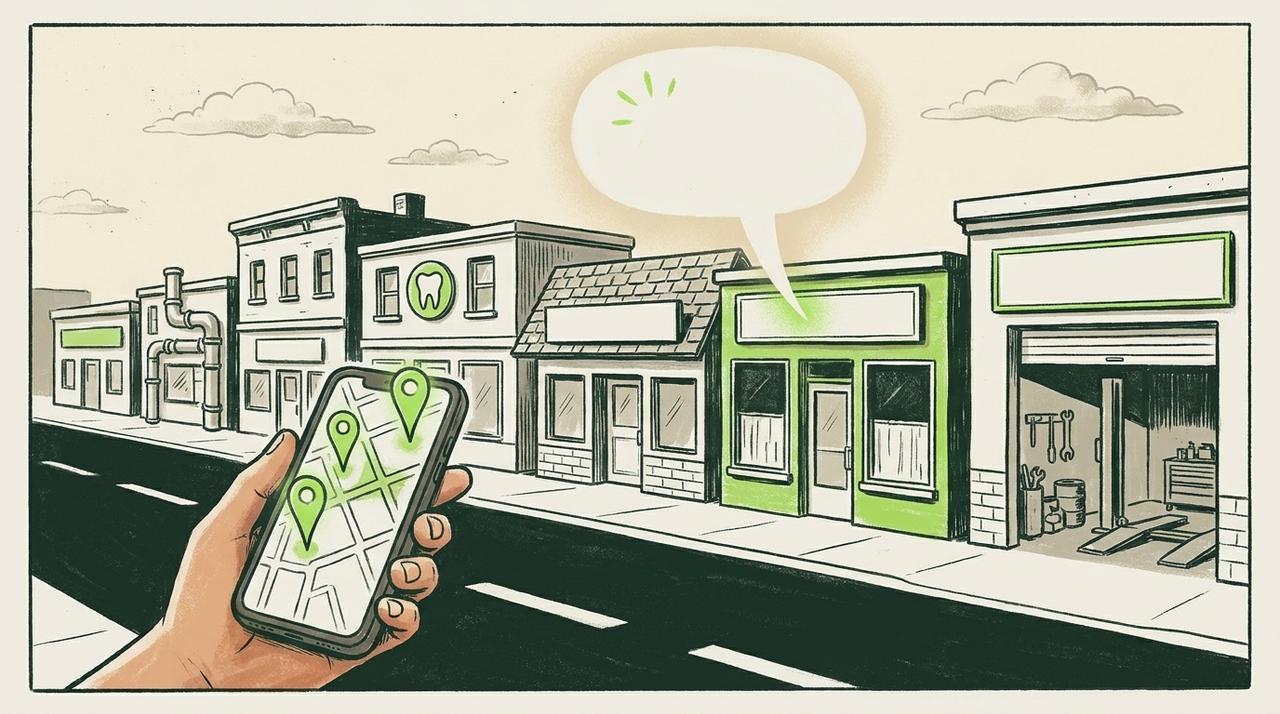
Do Google reviews help you show up higher on the map?
Yes, but they are one input among many, not the thing that decides it. Google says its local results are "mainly based on relevance, distance, and popularity." In plain words:
- Relevance: how well your profile and website match what the person typed. A roofer whose profile says "roof repair" matches "roof repair near me" better than one that only says "contractor."
- Distance: how far you are from the person searching, or from the town they named.
- Prominence: how well known you are. Google says this is "based on info like how many websites link to your business and how many reviews you have," and adds that "More reviews and positive ratings can help your business's local ranking."
Read that last line closely: reviews can help. They sit beside links from other websites, mentions of your business around the web, what your own website says, how complete your profile is, and more. Reviews are simply the part you can see and count.
To see how much they decide on their own, we searched four trades in four cities on Google Maps on November 6, 2026, from each city's centre, and counted the reviews of the top 20 businesses.
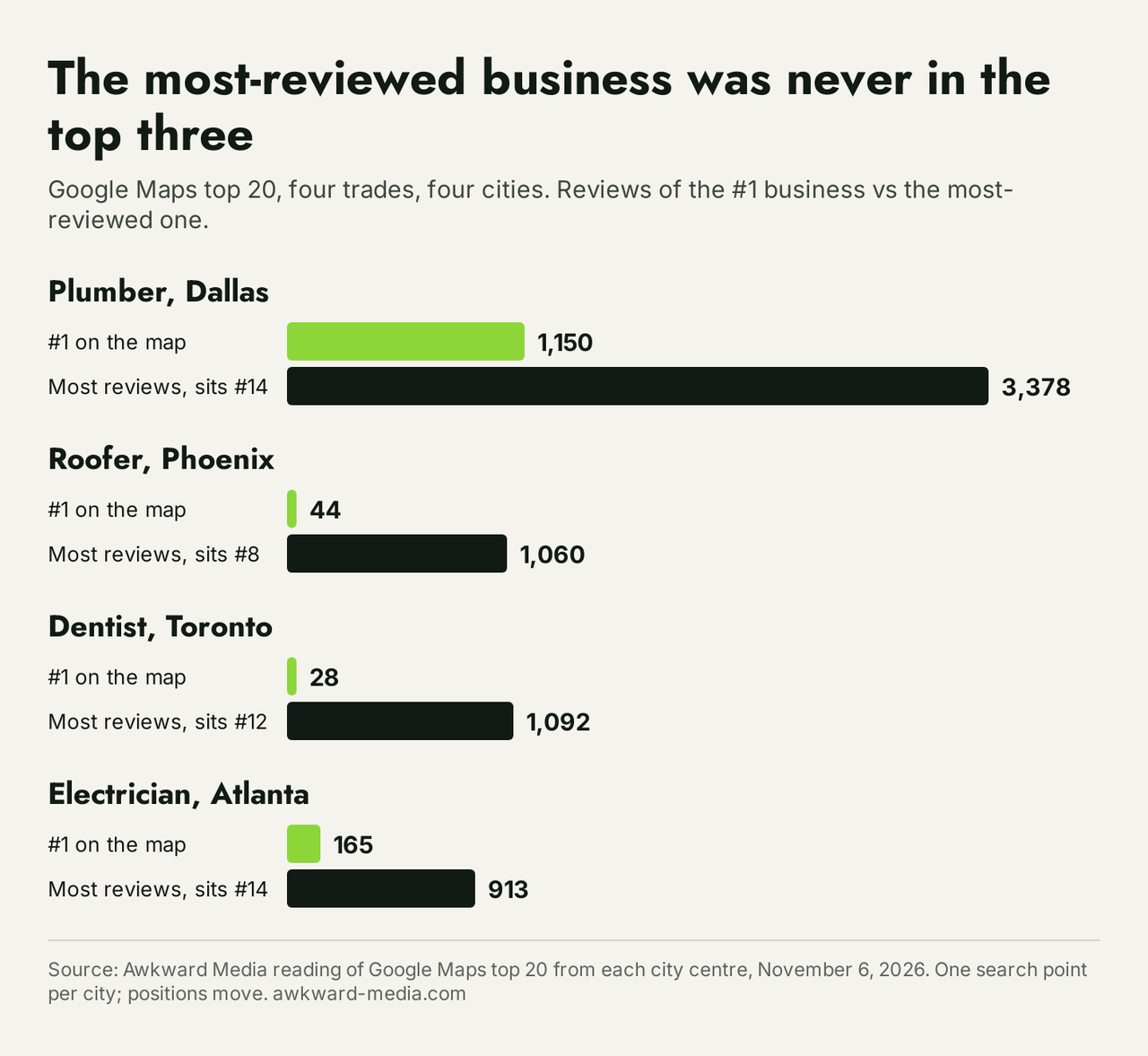
In all four searches, the business with the most reviews sat outside the top three. In Phoenix the first roofer on the map had 44 reviews, and the roofer with 1,060 sat eighth. In Toronto the first dentist had 28 reviews, while the dentist with 1,092 sat twelfth. This is one search point per city at one moment, so treat it as a snapshot, not a law. But the point holds: a business can't review its way past a weak profile, a thin website or the wrong distance.
So why bother? Because reviews do two jobs at once. They are one of the signals Google reads for prominence, and they are what a customer reads before choosing between the three businesses on the map. A plumber with 40 recent, detailed reviews looks safer than one with 6 from 2021. That second job alone pays for the effort. If you want the whole picture of what moves you on the map, our guide on how to rank higher on Google Maps covers every part of it.
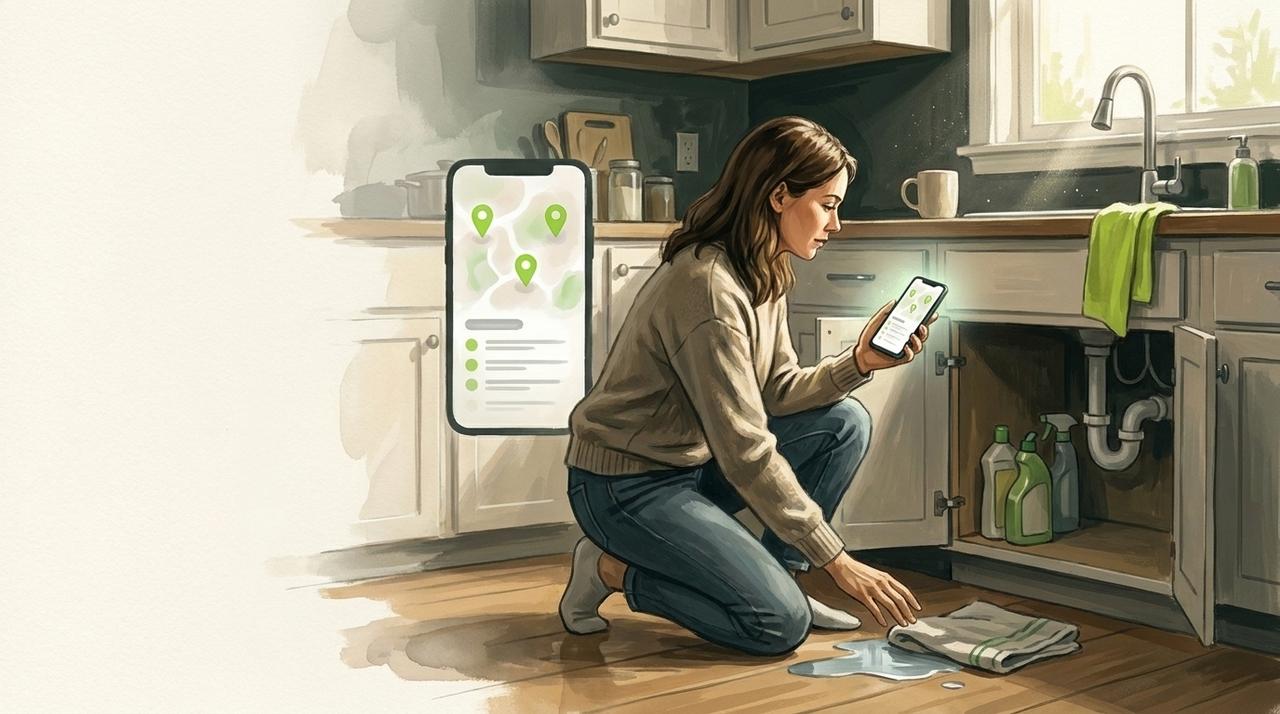
Where is your Google review link?
Your review link is a web address that opens the "write a review" box for your business directly, so the customer doesn't have to search for you first. Some guides still send you to a button called "Ask for reviews." On Google's own help page this week, the button is called "Get more reviews", and the steps read:
- Sign in to the Google account that manages your business, then go to your Business Profile. The quickest way is to search your business name on Google while signed in.
- Select Read Reviews, then Get more reviews.
- Select Copy. The link is now on your clipboard, ready to paste into a text message, an email or your invoice template.
Google's help page also says you can send the request "through email, WhatsApp message, or Facebook post."
If someone else runs your profile, send them this, word for word:
"Please go to our Google Business Profile, select Read Reviews, then Get more reviews, then Copy, and send me the link that comes up. I want to put it on our invoices and in our thank-you texts."
You don't need a paid "review link generator" for this. Google gives you the link for free, and it's the same link those tools hand you.
How do you make a QR code for Google reviews?
A QR code is the square barcode a customer points their phone camera at. Google makes one for your review link, also for free, with one catch that trips people up: according to Google, "reviews QR codes can only be generated on a computer browser, not on mobile devices." If you try on your phone, you won't find it.
- On a laptop or desktop computer, sign in and go to your Business Profile.
- Select Read Reviews, then Get more reviews.
- Right-click the QR code and choose Save image as. Save it somewhere you'll find it.
- Send that image file to whoever prints your cards, invoices or stickers.
Where to put it depends on where the job ends:
- Trades that work at the customer's home (plumbers, electricians, roofers, cleaners): on the printed invoice, on a card left on the counter, or on a magnet on the van door.
- Clinics and offices (dentists, physio, law firms): on a card at checkout, or on the follow-up letter.
- Shops and restaurants: on the receipt or the table card.
One rule from Google applies here: you can show the code in your shop, but you can't "require or pressure users to leave ratings or write reviews while on the premises." Handing a card over is fine. Standing over someone with a tablet is not.
When is the best moment to ask?
When the customer has just felt the good result, and before they've moved on with their day. For most businesses that's the same day the job ends. Google's own suggestions are receipts, thank-you emails and the end of a conversation.
- Plumber or electrician: when you hand over the invoice and the water or power is back on. Text the link that evening.
- Roofer or remodeller: at the final walk-through, then again by text when the final bill is paid.
- Dentist or clinic: a text the same afternoon, while the visit is fresh.
- Law firm or accountant: when the matter closes, in the closing letter or email.
The part that matters most is that you ask everyone, the same way, every time. That keeps you inside Google's rules (more on those below), and it's also what gets you a steady flow instead of a burst. A business that gets ten reviews in one week and nothing for three months looks odd to customers, and asking everyone as routine fixes that.
What should you say when you ask?
Short, personal, and with the link in it. You don't need to explain what Google is. Here are three you can copy and change to fit:
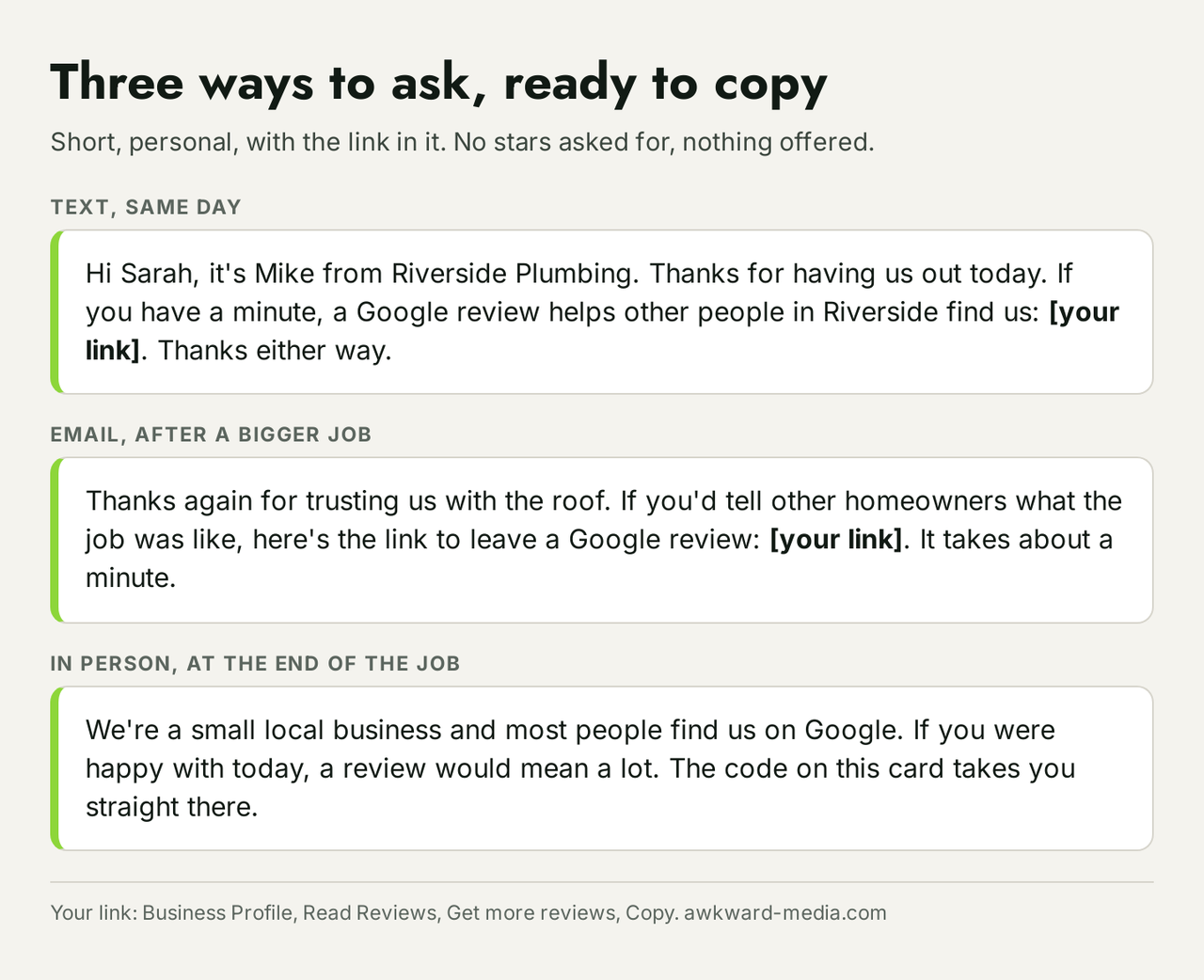
A text, the same day:
"Hi Sarah, it's Mike from Riverside Plumbing. Thanks for having us out today. If you have a minute, a Google review helps other people in Riverside find us: [link]. Thanks either way."
An email, after a bigger job:
"Thanks again for trusting us with the roof. If you'd tell other homeowners what the job was like, here's the link to leave a Google review: [link]. It takes about a minute. Honest feedback helps us too."
In person, at the end of the job:
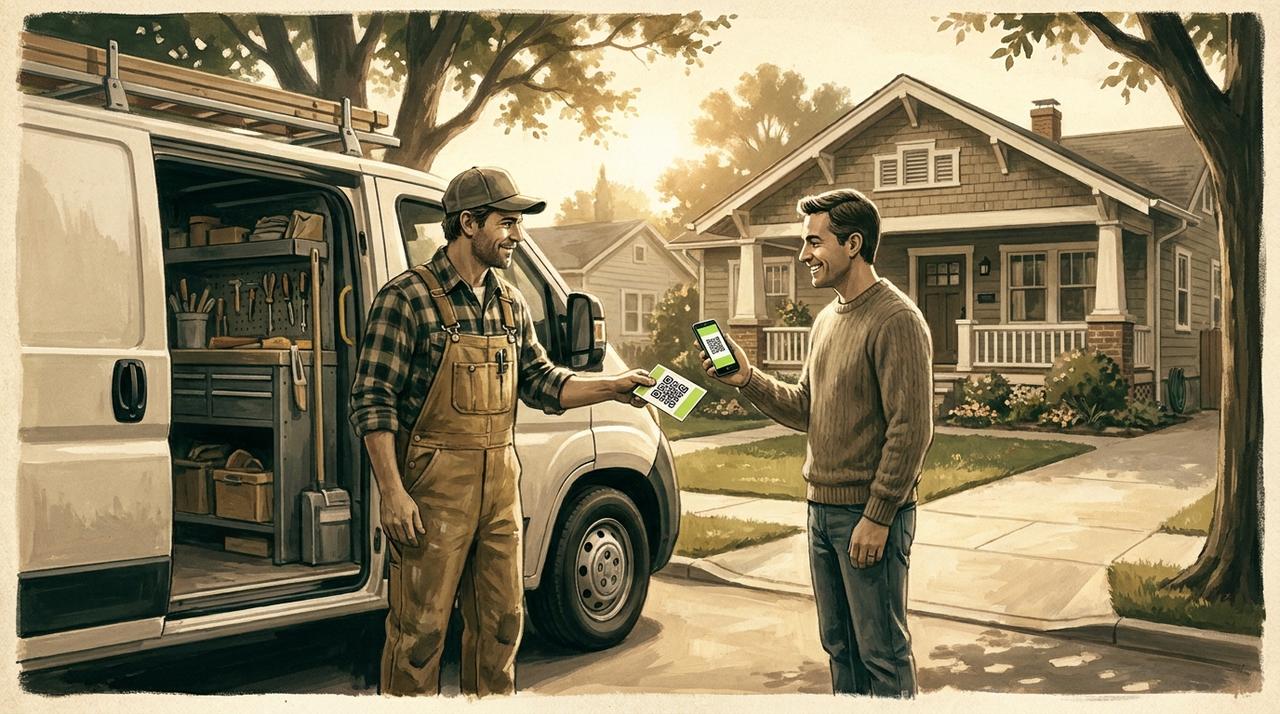
"We're a small local business and most people find us on Google. If you were happy with today, a review would mean a lot. The code on this card takes you straight there."
Notice what's missing. None of them ask for five stars, none name a staff member the customer should mention, and none offer anything in return. Each of those breaks Google's rules, which are next.
What does Google forbid, and what happens if you break it?
Google's policy for business owners is short and blunt. You may not:
- "Offer incentives – such as payment, discounts, free goods and/or services - in exchange for posting any review," or for removing a bad one.
- "Discourage or prohibit negative reviews, or selectively solicit positive reviews from customers." This is the "send only the happy ones" trick from the top of this article.
- Pressure people to review while on your premises, or "request that specific content be included."
- Set review quotas for staff, or ask customers to name a particular employee.
- Review your own business, or have staff, former staff or family members do it. Google calls that a conflict of interest.
Google also lists what it does to a profile that breaks these rules:
- The profile can be blocked from getting new reviews for a set period.
- Its existing reviews can be hidden from the public for a set period.
- A warning can show on the profile, telling customers that fake reviews were removed.
That third one is the worst of the three: it tells every future customer, right where they're deciding, that something was off. Google says the business is told by email and can appeal.
Can you offer a discount for a review? Google and the FTC disagree
Here is where a lot of owners get confused, because two rulebooks apply and they say different things.
The US Federal Trade Commission's rule on reviews came into force on October 21, 2024. Its own question-and-answer page says "The rule does not prohibit giving incentives for reviews," as long as you don't require the review to be positive. Paying for five-star reviews breaks the rule, even if you disclose the payment.
Google is stricter. It forbids any incentive at all, positive or neutral. A coupon for "any honest review" is legal under the FTC rule and still against Google's policy.
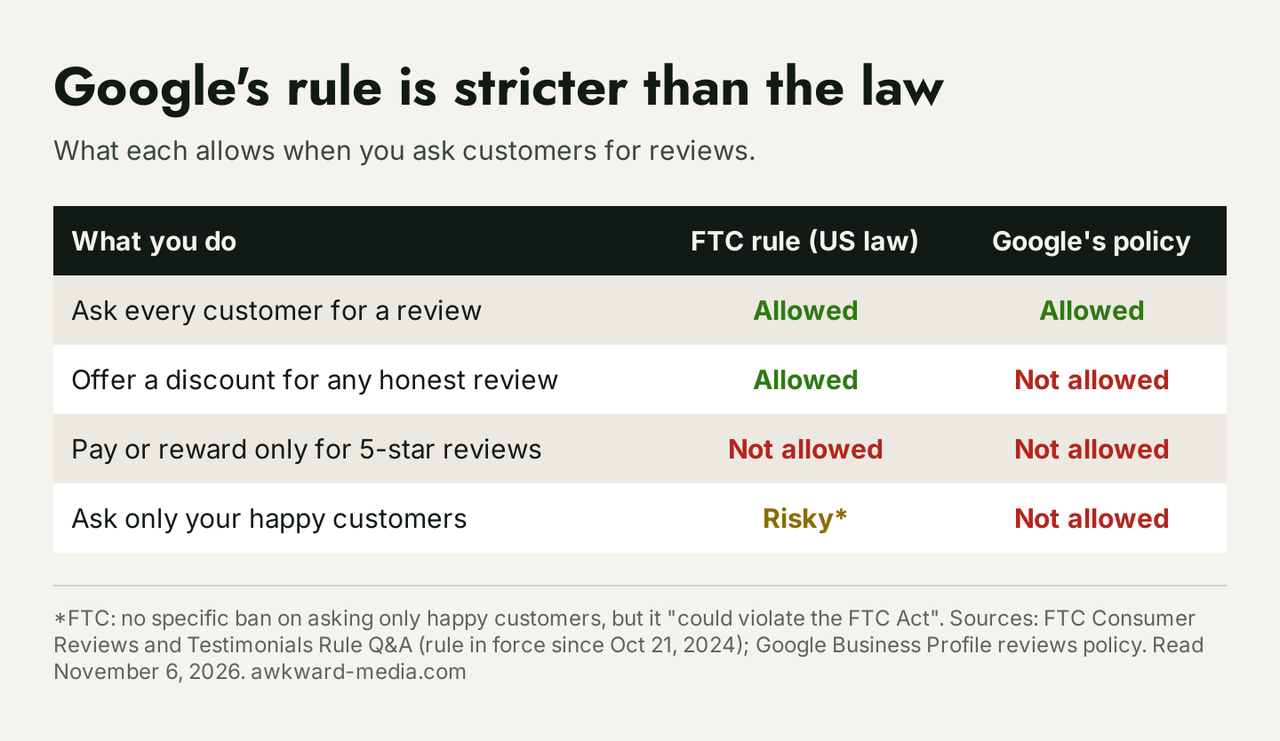
The answer for your business is simple: follow the stricter one. No discounts, no prize draws, no "free cleaning for a review." Thank people, don't pay them.
Why do some reviews never show up, or disappear later?
A customer says they left a review and you can't find it. A few reasons are common:
- They weren't signed in. Google says customers "must be signed into a Google Account to leave a review." It doesn't have to be Gmail: Google says they "can set one up with a non-Gmail email address." That's worth telling older customers who say "I don't have Google."
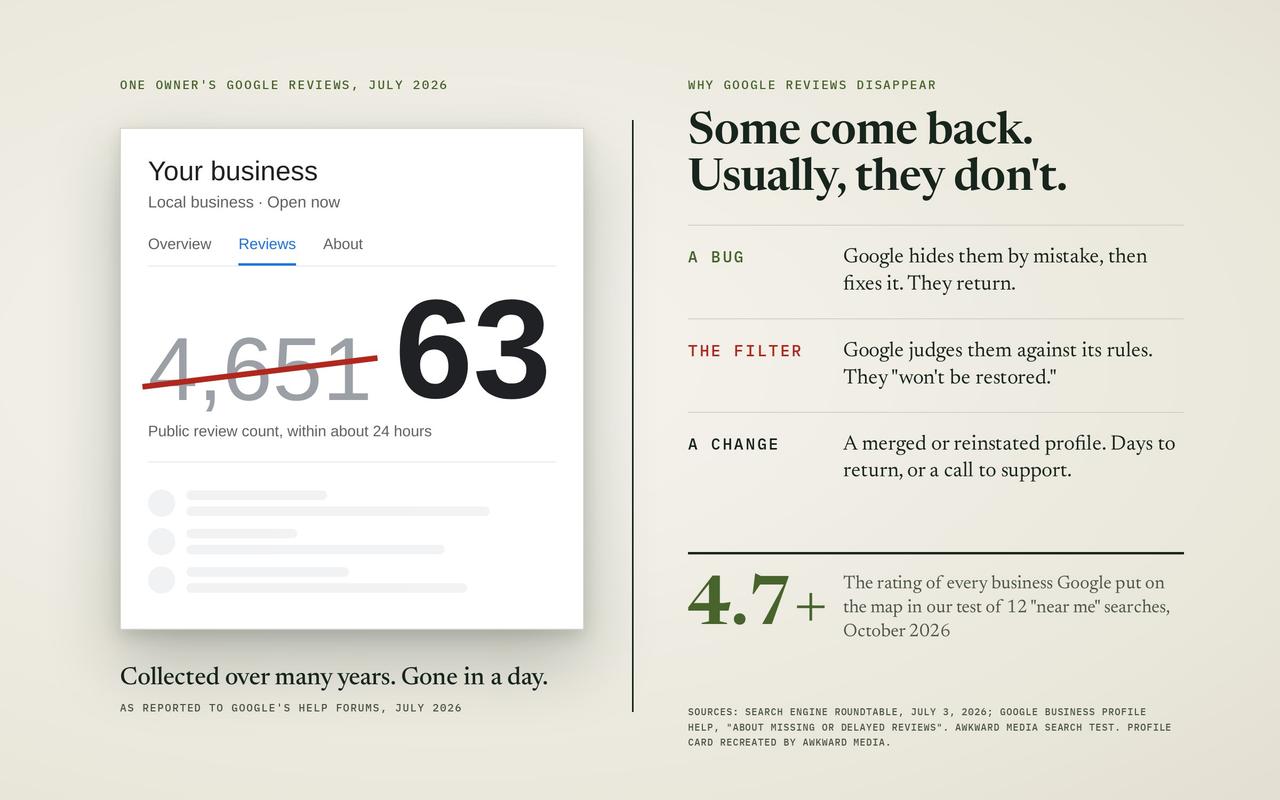
- Google's checks held it. Google screens reviews against its policy, and one that looks fake or breaks a rule can be held back or removed.
- Google removed it later. We wrote a whole piece on why Google reviews get removed, and a separate one on how to get a fake or abusive review taken down.
How should you reply to reviews?
Reply to as many as you can, good and bad, and make each reply about that customer. Google's tips for owners say "Instead of sending the same 'thank you' to everyone," you should pick up something they said. It also says to "avoid using your response to offer deals or promotions."
For a bad review, the reply isn't really for the person who wrote it. It's for the next customer reading it. Keep it short and calm, say what happened in a sentence, and say what you did about it. Google's tips make the same point from the other side: "A mix of positive and negative feedback often feels more trustworthy." A wall of perfect five-star reviews can make a careful customer suspicious.
How many Google reviews do you need?
There's no number that unlocks the map. A useful way to set a target is to look at the three businesses Google shows for your main search, from where your customers are, and count their reviews. We use that count with our own clients as one readable stand-in for prominence, because it's public and anyone can count it, not because it's the whole picture.
- If you're far behind the top three on reviews, steady asking closes that gap over months, and it's worth starting today.
- If you're level or ahead and still not in the top three, reviews aren't what's holding you back. Look at relevance and the rest of prominence instead.
Here's what else goes into how well known Google thinks you are, and how well you match the search:
- Your profile: the right main category, every service listed, real photos, correct hours. Our Google Business Profile optimization service does this for you.
- Your website: a page for each service and each town you serve, saying plainly what you do and where. That's the core of local SEO.
- Links and mentions: other websites that name and link to you, from local news to trade directories.
- Reach: showing up in towns beyond your own street is its own job, and it's what our Google Maps expansion work is built for.
For a trade-by-trade look at what a homeowner sees on Google before your website, read our home service SEO report. And if you've wondered whether AI assistants pick the same businesses the map does, our study of AI answers against Google Maps tested exactly that.
What it looks like when the whole picture is worked on
Two results from our own client work, both on Google Maps:
- Brooks Moving and Hauling, a moving company in Jupiter, Florida, reached the top three of Google Maps for "movers jupiter florida" by day 17.
- 360 Hazardous Cleanup, a cleanup company we worked with in Louisville, Kentucky, moved from #37 to #1 on Maps for "blood cleanup services" in 20 days, and all eight searches we tracked for it reached the top three.
Neither of those came from a review campaign. They came from the profile, the website and the links working together, with reviews as one part of it. That's the work in our local SEO and SEO services, for businesses in every trade, from plumbers, roofers and electricians to dentists, and in cities like Las Vegas. More results are in our case studies.
We put our timelines in writing: Page one in 60 days, or we work free. The full terms are on our SEO guarantees page, and what it costs is on our pricing page. This is for businesses already doing $20,000 a month or more.
A one-week plan to start
- Monday: on a computer, copy your review link and save your QR code (Business Profile, Read Reviews, Get more reviews).
- Tuesday: put the link in your invoice template and your thank-you email. Send the QR code to your printer for cards or a van magnet.
- Wednesday: save the text message above in your phone, with your name and link in it.
- Thursday: tell your team the rule: we ask every customer, the same way, and we never offer anything for it.
- Friday: reply to every review from the last month, each one personally.
Then keep asking, every job, every week. It's not exciting work. It's the kind that compounds. For how long the rest of the work tends to take, see how long SEO takes, by Google's own timelines, and for the bigger picture, our step-by-step local SEO guide for small businesses.
Sources, read November 6, 2026: Google Business Profile Help pages "Create a Google link or QR code to request reviews," "Tips to get more reviews," "Prohibited and restricted content" (reviews policy), "Restrictions on Business Profiles" and "How to improve your local ranking on Google"; the FTC's "Consumer Reviews and Testimonials Rule: Questions and Answers." Maps counts: our own reading of Google Maps' top 20 from each city centre, November 6, 2026.
Every fact in this story is linked to its source. Spot something out of date? Tell the editor and we will correct it.
Questions readers ask
Frequently asked questions
Is it against Google's rules to ask for reviews?
No. Google encourages it and gives you a free link and QR code to do it. What's against the rules is offering something in return, asking only happy customers, or pressuring people while they're on your premises.
Can I pay for Google reviews or buy five-star reviews?
No. Google forbids any payment, discount or gift for a review, and the FTC rule bans buying positive reviews even if you say you paid. A profile caught doing it can be blocked from new reviews and shown with a warning to customers.
Can I offer a discount for an honest review?
Under the FTC rule, a neutral incentive is allowed. Under Google's policy, it isn't. Follow Google's rule, because Google decides what shows on your profile.
Can my employees or family leave reviews?
No. Google treats reviews from current or former employees and family members as a conflict of interest, and its policy doesn't allow them.
Do customers need a Gmail account to leave a review?
They need a Google Account, but it doesn't have to be Gmail. Google says they can set one up with any email address they already use.
Can I make the QR code on my phone?
No. Google says review QR codes can only be made in a computer browser. Make it once on a laptop, save the image, and use it everywhere.
Can I ask for reviews in my shop on a tablet?
You can show a QR code or hand over a card. Google says you shouldn't require or pressure people to review while they're on your premises, so don't stand over them while they do it.
Is it OK to ask only my happiest customers?
No. Google's policy forbids asking selectively for positive reviews. Ask every customer the same way. A mix of reviews also reads as more trustworthy to customers.
Do more reviews guarantee a higher place on Google Maps?
No. Google says reviews can help, as part of how well known your business is. Distance, how well you match the search, links and your website count too. In our four-city check, the most-reviewed business was never in the top three.
How many five-star reviews do I need to raise my rating?
It's arithmetic. If you have 40 reviews averaging 4.2 stars, each new five-star review adds a little: ten more five-star reviews take you to 4.36. Use this formula: (current rating × current count + 5 × new reviews) ÷ (current count + new reviews).
Should I reply to every review?
As many as you can, good and bad, and each one personally. Google suggests picking up what the customer said rather than sending the same thank-you to everyone.
About the author